
Knowledge base / Helpdesk / Using the app
Raising a request
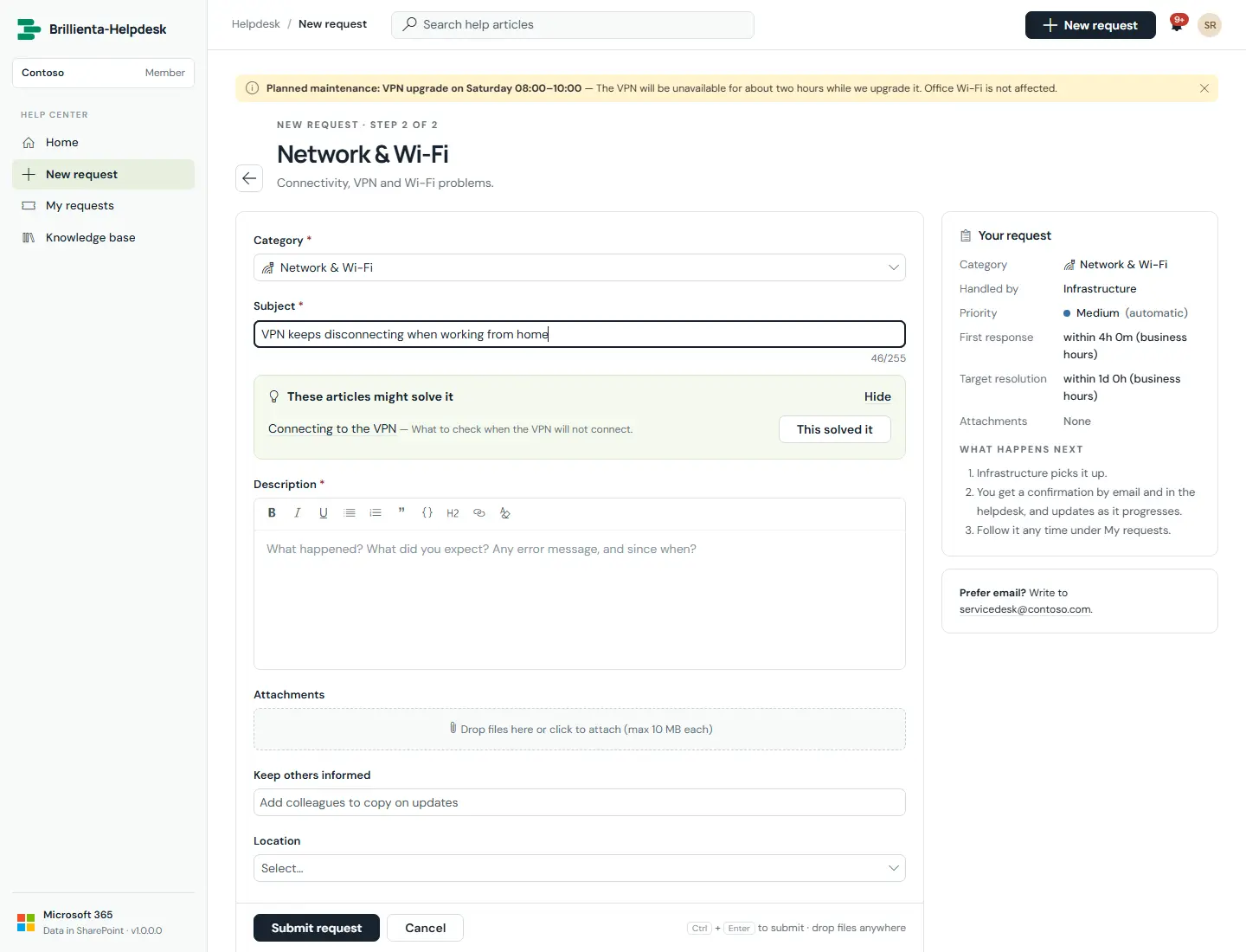
One form for everything: category catalogue, service and sub-service, rich-text description with drag-and-drop attachments, custom fields per category, watchers, and knowledge-base suggestions while typing with a "This solved it" deflection.
How it works
- Submitted requests are numbered (for example HD-00042), routed, given SLA targets and confirmed by email.
- "This solved it" records a deflection and no ticket is created.
- Files can be pasted, dragged onto the form, or dropped anywhere on a ticket.
- Optionally the portal first asks which team (department) the request is for and shows that team's own form.
- Request forms (standard plus one per team) are designed under Settings → Request forms.
Still need help?Our team answers product questions by email, and we can walk you through it on a call.
Open in the full guideContact support