
Knowledge base / Helpdesk / Administration
General & branding
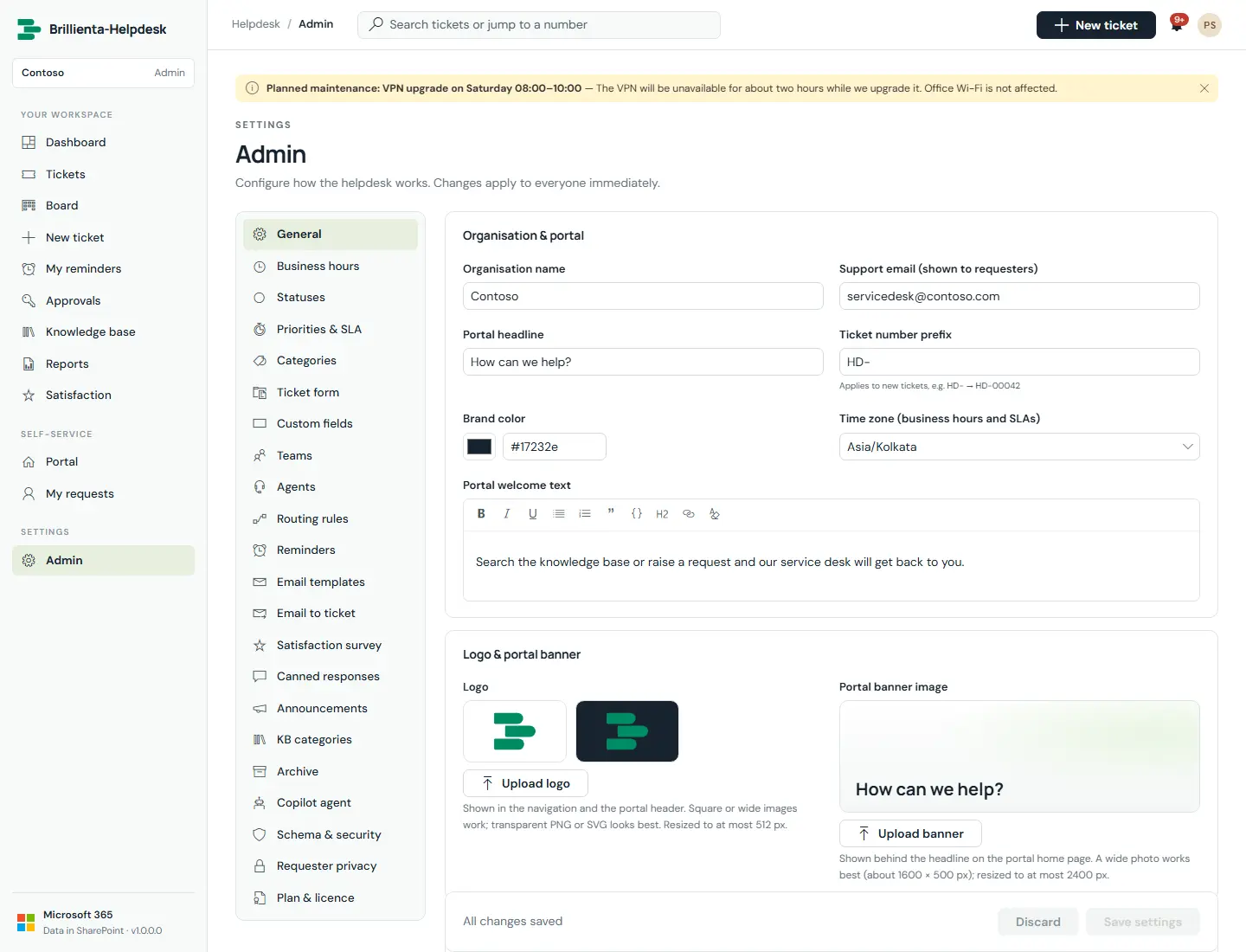
Organisation and portal text, support email, ticket number prefix, brand colour, time zone, logo and banner, features, workflow defaults, refresh interval and maintenance mode.
How it works
- The logo (PNG/JPEG/SVG/GIF/WebP, redrawn to ≤512 px PNG) appears in navigation and the portal header; the banner sits behind the portal headline with a dark, light or no tint.
- The time zone is IANA and DST-safe — all SLA math uses it. Maintenance mode pauses new requester tickets with your message.
Still need help?Our team answers product questions by email, and we can walk you through it on a call.
Open in the full guideContact support