
Knowledge base / Helpdesk / Administration
Categories & services
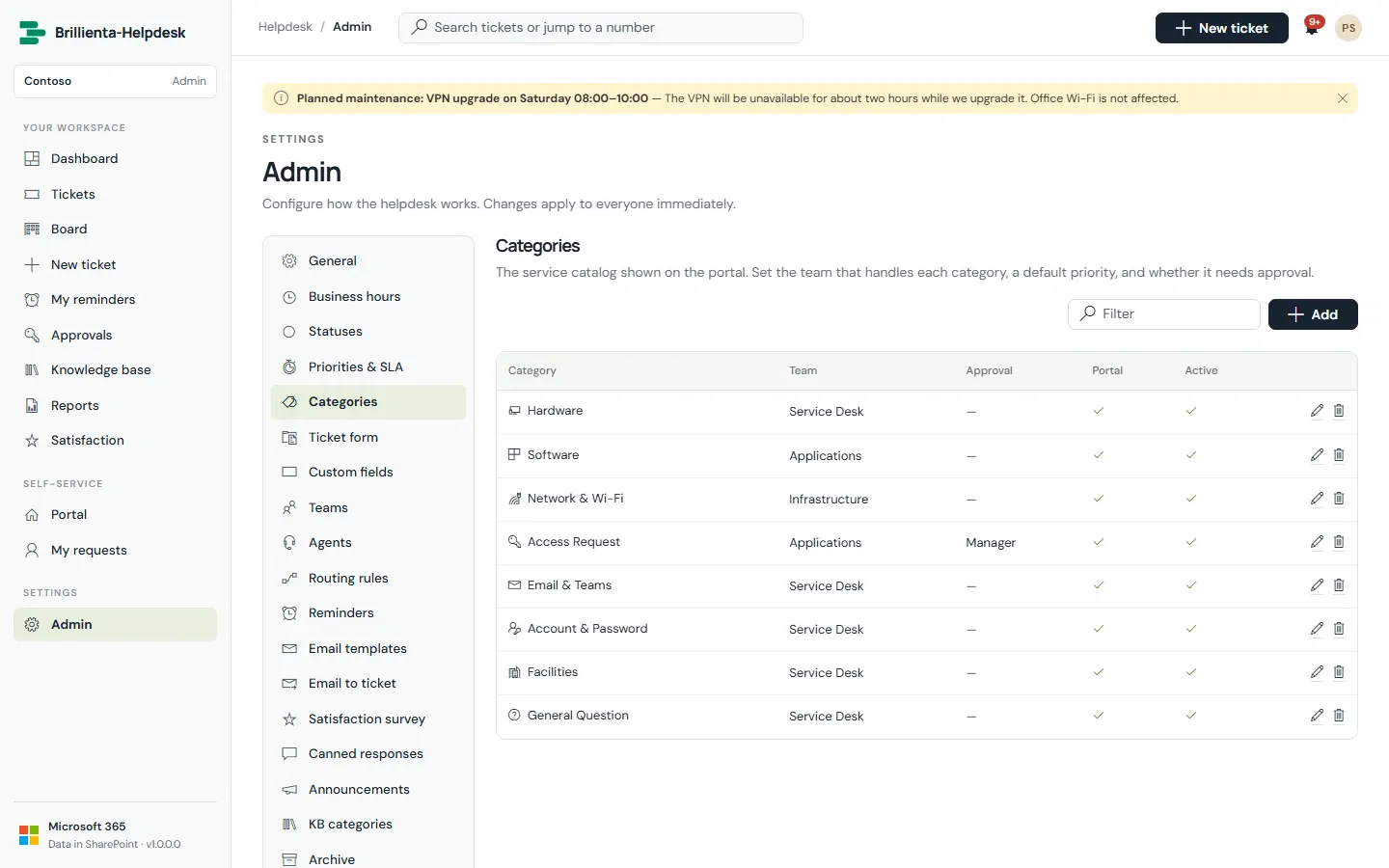
Categories are the service catalogue tiles: team, default priority, approval requirement and portal visibility. Services (for example Email & calendar, Devices) hold sub-services (Outlook, VPN, Wi-Fi), each switched on or off in one click, with an icon, a handling team and portal visibility.
How it works
- Deactivate instead of deleting: old tickets keep their category and service.
- Services appear on forms, the ticket page, queue filters, routing rules, email placeholders, Dashboard and Reports.
- Names & terms renames Ticket, Requester, Agent, Team, Category, Service and Sub-service everywhere (for example Team → Department).
Still need help?Our team answers product questions by email, and we can walk you through it on a call.
Open in the full guideContact support