
Knowledge base / TaskManager / Using the app
Task page
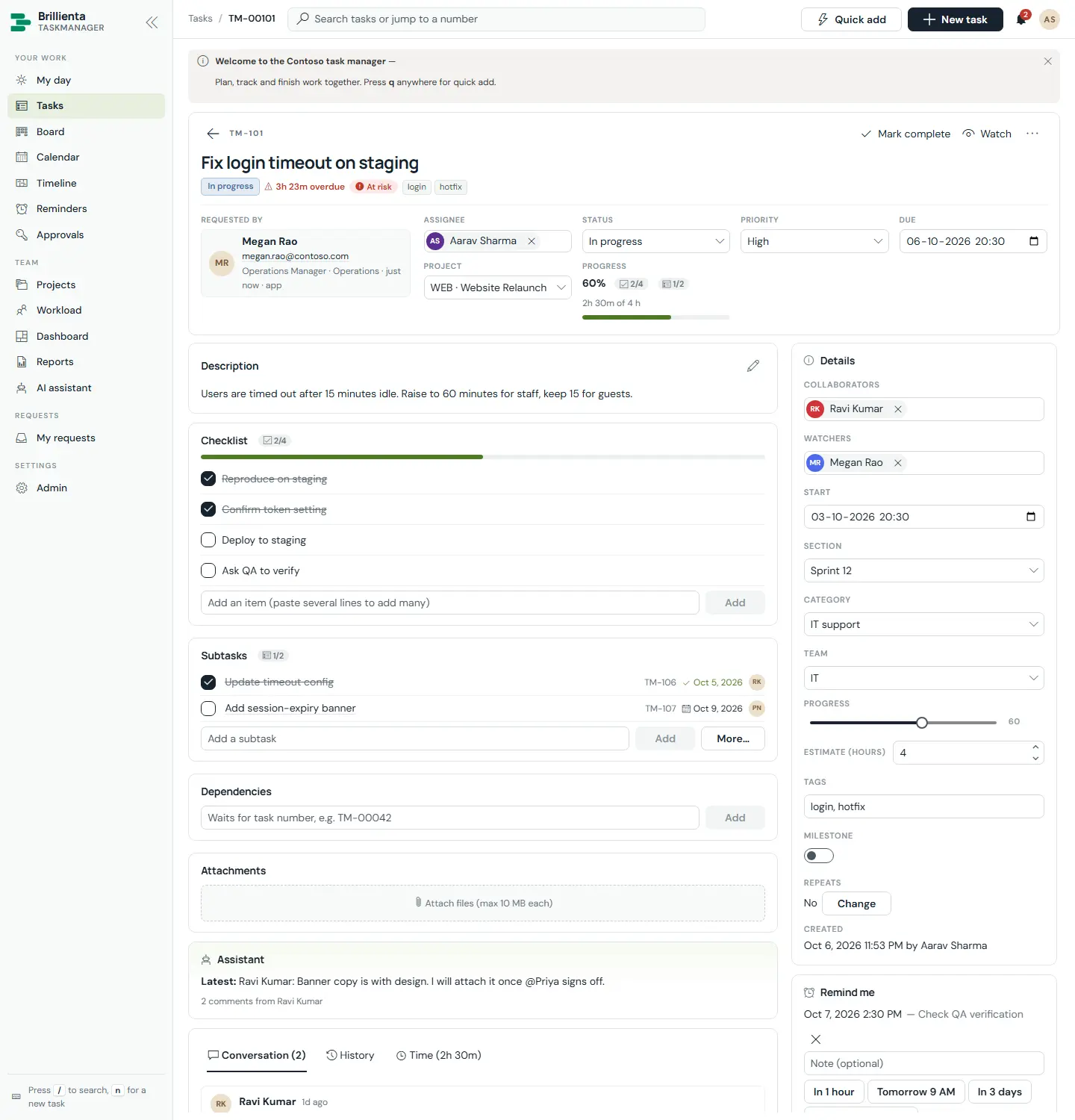
Everything about one piece of work. The header has Back, the task number, Mark complete / Reopen, Watch / Stop watching and a menu (Copy link, Duplicate, Create follow-up, Save as template, Delete). Status chips show status, due, risk, approval state, milestone, recurrence and tags. Key facts, an inline-edited description with @mentions, a checklist (recording who ticked what), subtasks, dependencies (waits for / blocks, with loop detection), attachments, an AI panel with a conversation summary, and Conversation / History / Time tabs. The sidebar holds collaborators, watchers, dates, section, category, team, progress, estimate, tags, custom fields, personal Remind me and calendar links.
How to use it
- Change assignee, status, priority, due date or project inline — everything auto-saves and lands in History.
- Add subtasks by typing and pressing Add; link dependencies by task number (TM-42).
- Comment with @mentions and pasted files; use Members only for internal notes guests never see.
- Log time on the Time tab (billable optional); set a personal Remind me with snooze.
- Approvers decide with Approve / Reject plus an optional comment, here or on the Approvals page.
- Use the AI panel to summarise the thread, break work into subtasks or draft the description.
Still need help?Our team answers product questions by email, and we can walk you through it on a call.
Open in the full guideContact support