brillientaKnowledge base

Knowledge base / TaskManager / Using the app

Reports

  • Members
  • Time reports: Pro and Enterprise
1 min read · TaskManager 1.0.0

Eighteen reports sharing one pattern: pick from the left list, set period / project / team / person / category, read the summary numbers, the chart and the sortable table (click any header), then export to Excel or PDF. Groups cover tasks (register, open, overdue, due in 14 days, unassigned, at risk, age), delivery (completed, on-time, weekly trend, requests, approvals), people and projects (workload, performance, project status, by category) and time (logged, by project and person).
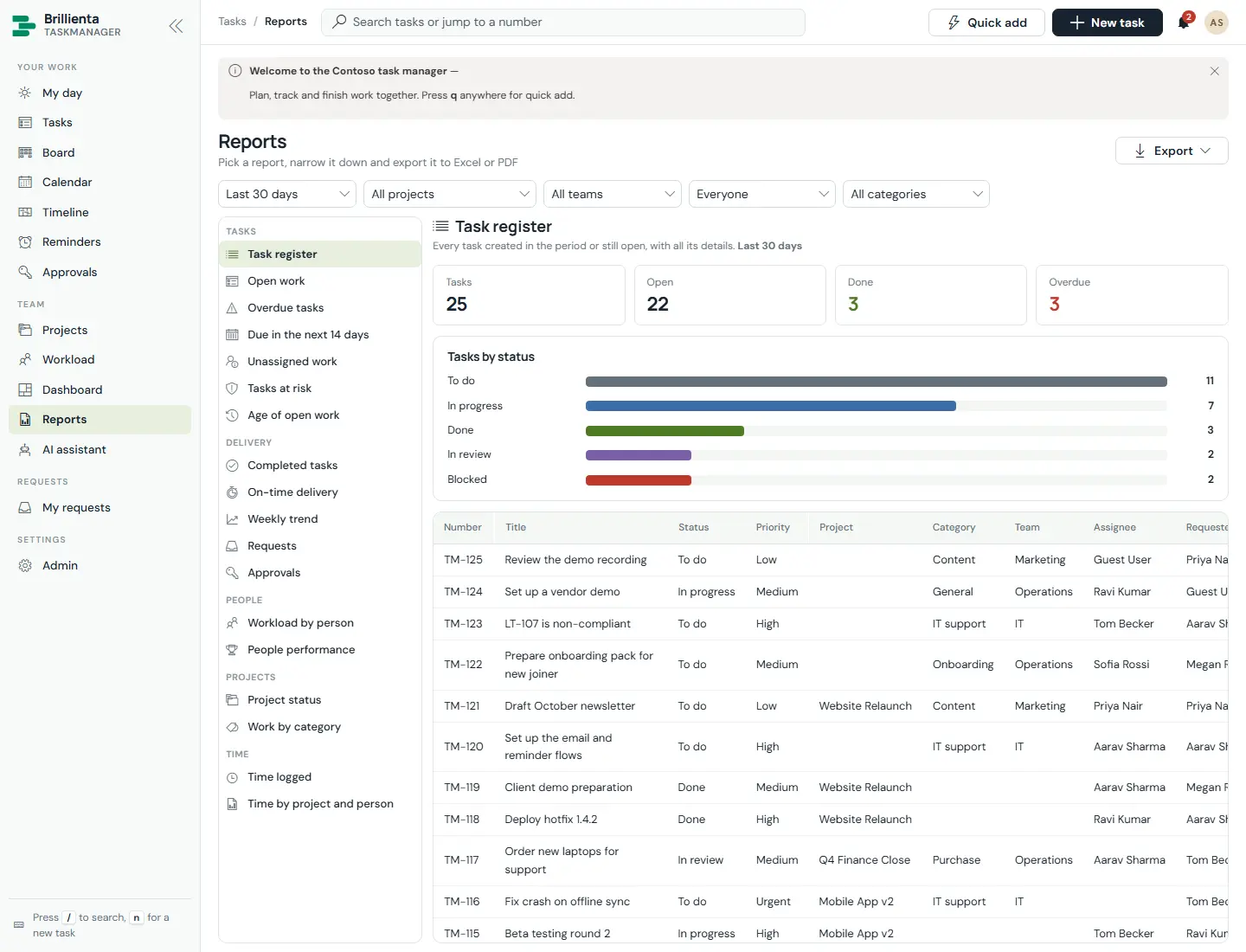
Reports page with the grouped report list on the left and a task report open: period and scope filters, summary numbers, a chart and a sortable task table.
Reports. One navigation for all eighteen reports; each has filters, KPIs, a chart and an exportable table.
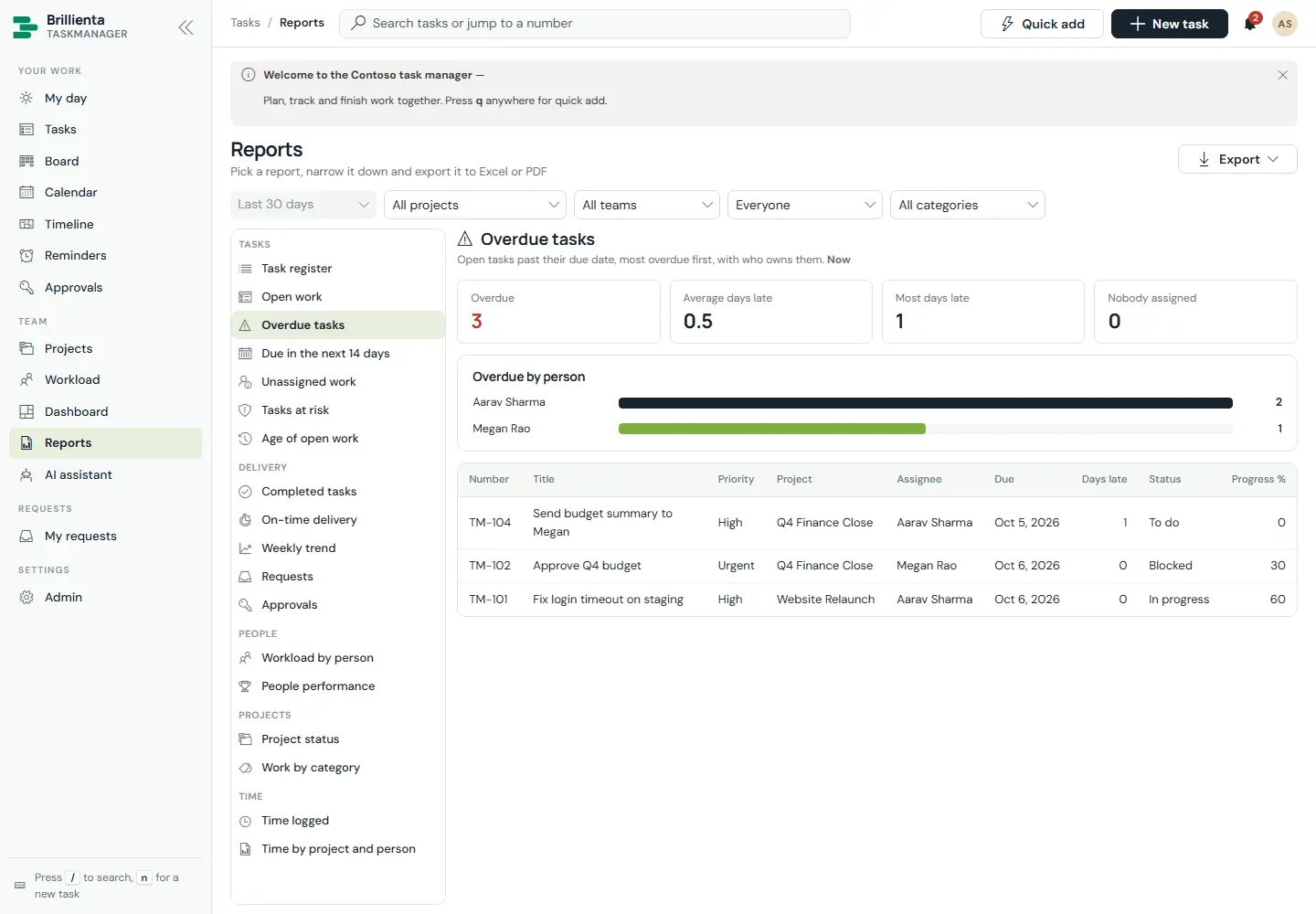
Overdue report listing TM-101, TM-102 and TM-104 with assignees, how long overdue and priorities.
Overdue. Oldest first, with owner and age.
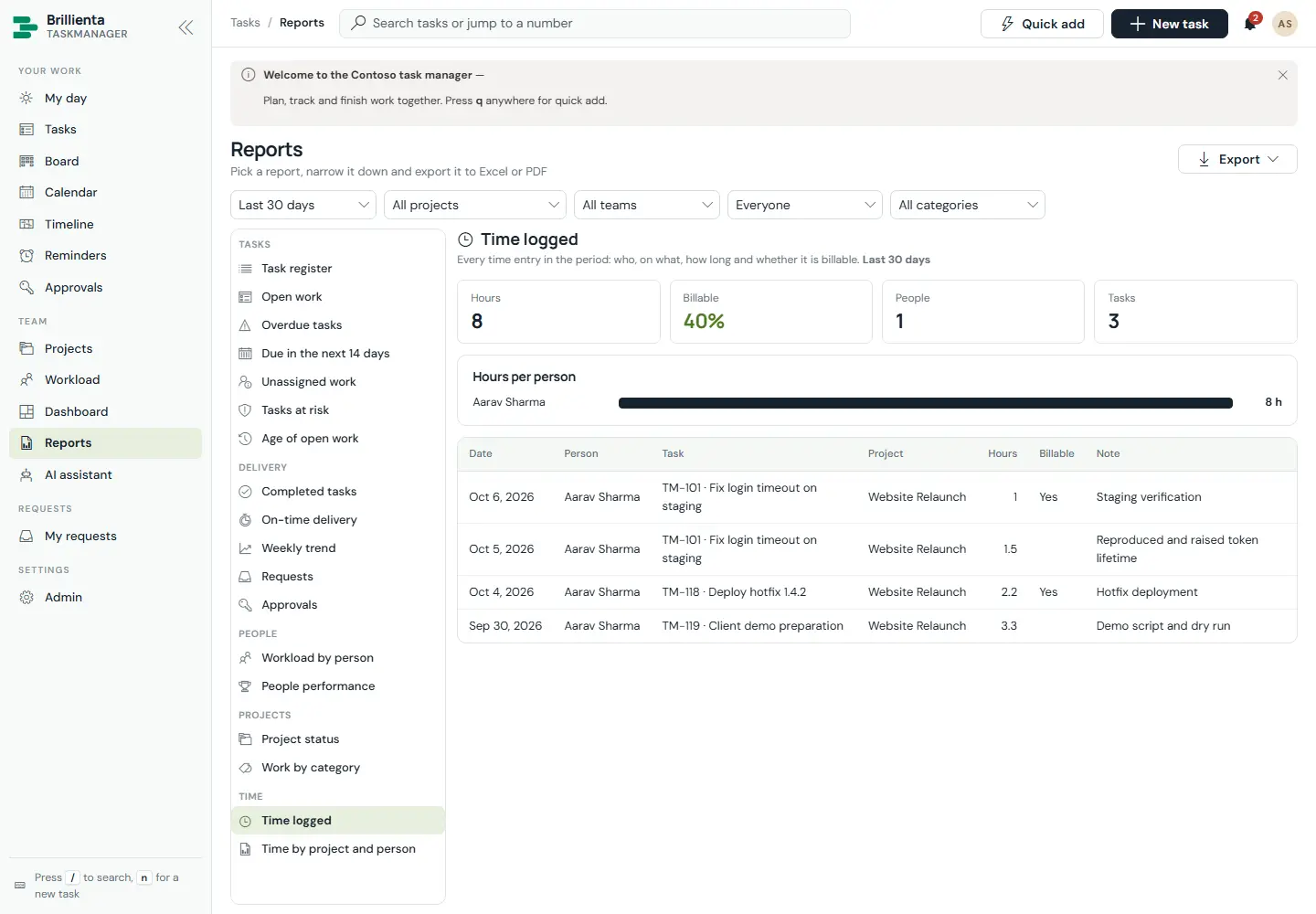
Time logged report with hours by person and task, billable split and work notes.
Time logged. Members see their own; managers see everyone's.
This article is about Brillienta TaskManager.See the productView plansBook a demo
Still need help?Our team answers product questions by email, and we can walk you through it on a call.
Open in the full guideContact support