
Knowledge base / TaskManager / Using the app
New task & quick add
Two speeds for creating work. New task starts from a template, parses the title typed in plain words, and offers suggestions learned from your own tasks (category, team, assignee, priority, project with confidence), a duplicate warning with links, recurrence, start/due, estimate, collaborators, watchers, checklist, custom fields and attachments. Quick add (press q anywhere) takes one task per line in plain words — dates, times, people, priority, tags, project, estimate and repeats are recognised and shown as chips before creating.
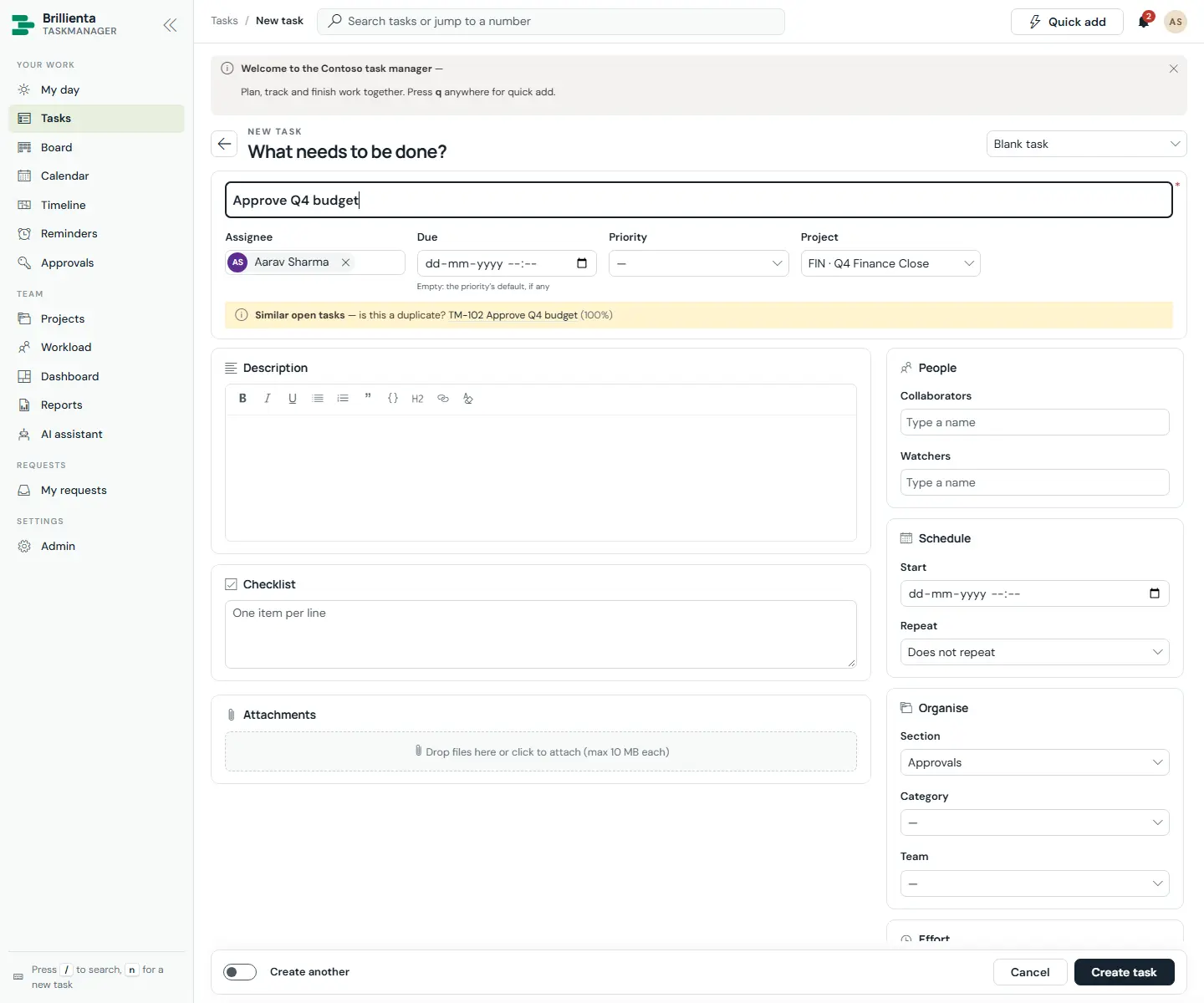
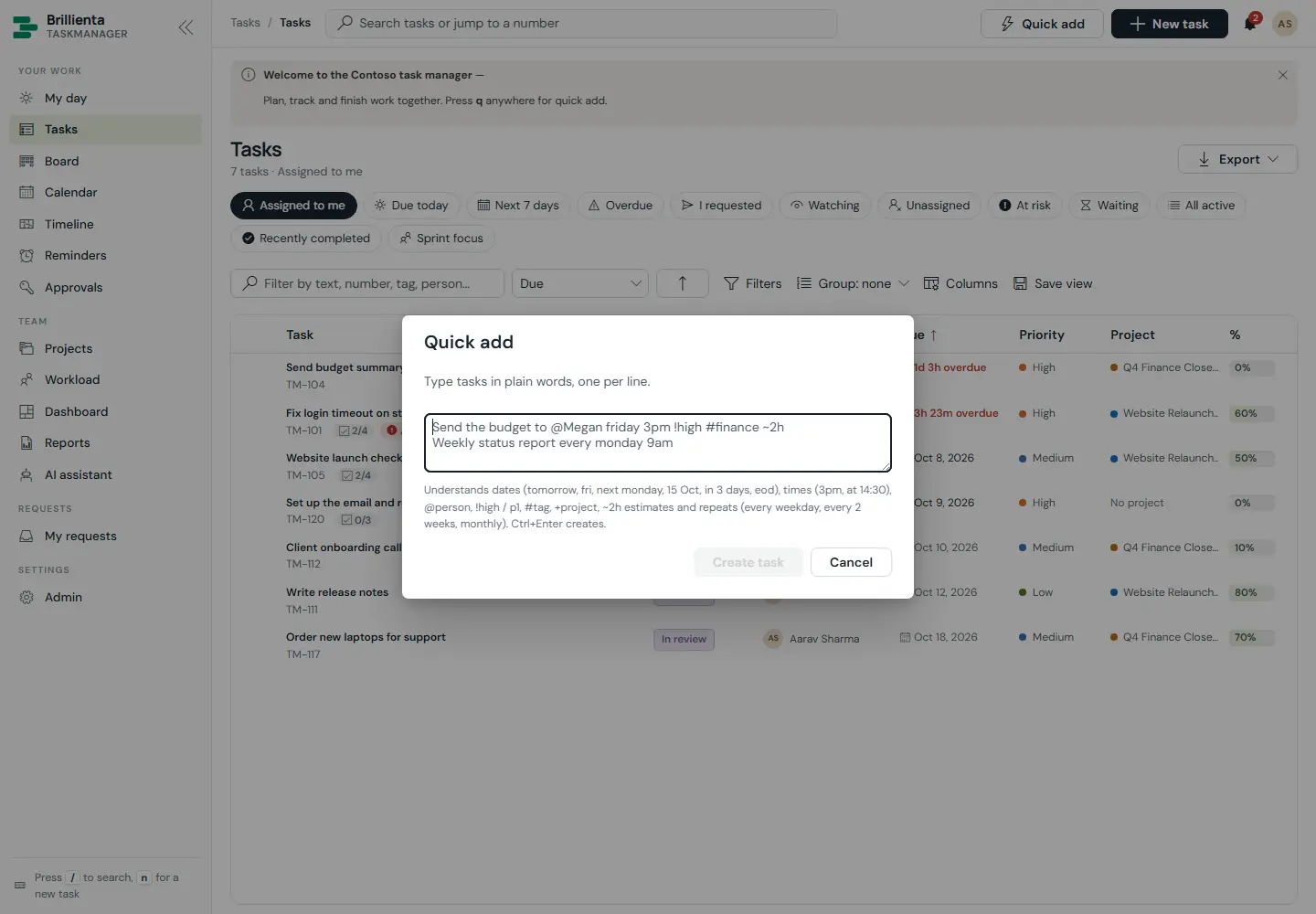
Send the budget to @Megan friday 3pm !high #finance ~2h +WEB every week becomes a fully-filed, repeating task. Ctrl+Enter creates; Enter starts a new line.What quick add understands
- Dates & times:
tomorrow,friday,next monday,15 Oct,in 3 days,eod,3pm,14:30. - People
@Megan, priority!high/p1, tags#finance, project+WEB.
- Estimates
~2hand repeats (every weekday,every 2 weeks,monthly). - Guests see a simpler New request form instead: category, needed-by date, details and files.
Still need help?Our team answers product questions by email, and we can walk you through it on a call.
Open in the full guideContact support