brillientaKnowledge base

Knowledge base / TaskManager / Administration

Keeping people informed: emails, reminders, integrations

  • Admins
  • Custom templates & digest: Pro and Enterprise
1 min read · TaskManager 1.0.0

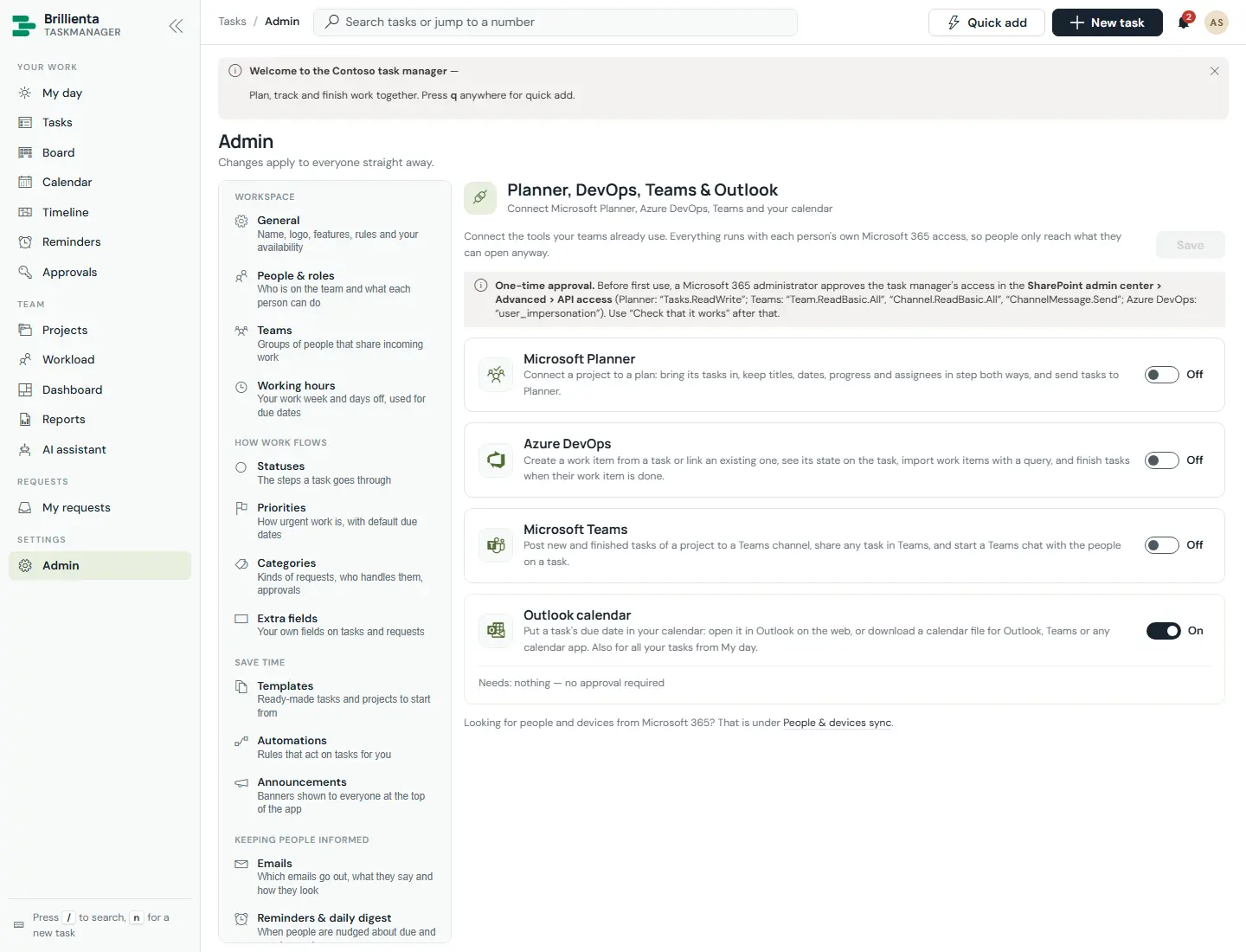
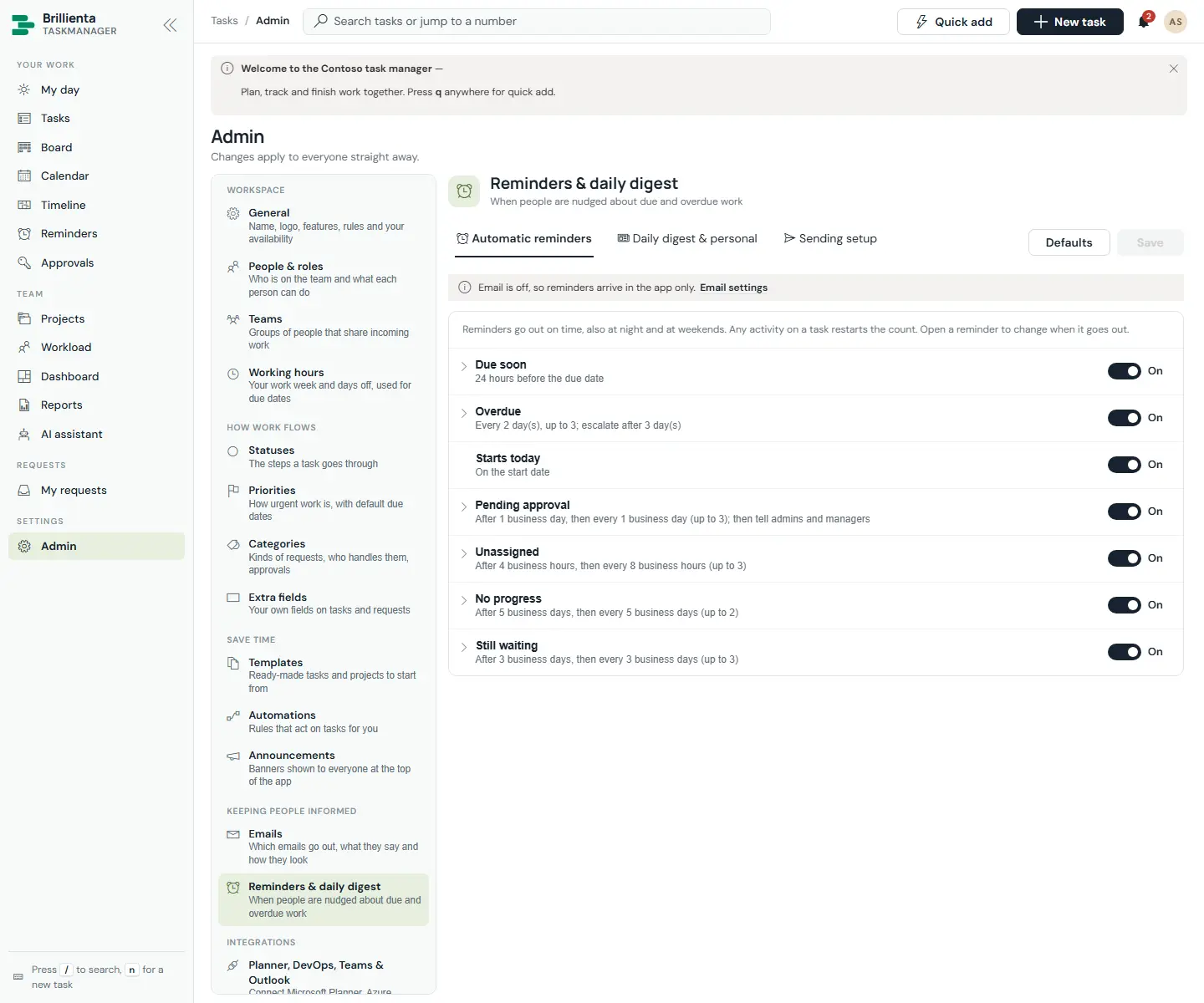
Emails offers an editable template per event (18 on here, of 23), header/footer/logo styling, live preview with sample data and Send a test to me, plus sending setup and recent-delivery health. Reminders & daily digest sets first delay, repeat, maximum and working-time counting per rule, digest time and the queue view. Integrations connects Planner (two-way sync), Azure DevOps (create, link, import with WIQL), Teams channel posts and Outlook files — each with Check that it works. People & devices sync runs Graph sync now or daily; AI assistant configures suggestions, risk, summaries and the optional Azure OpenAI deployment (the key lives only in the flow).
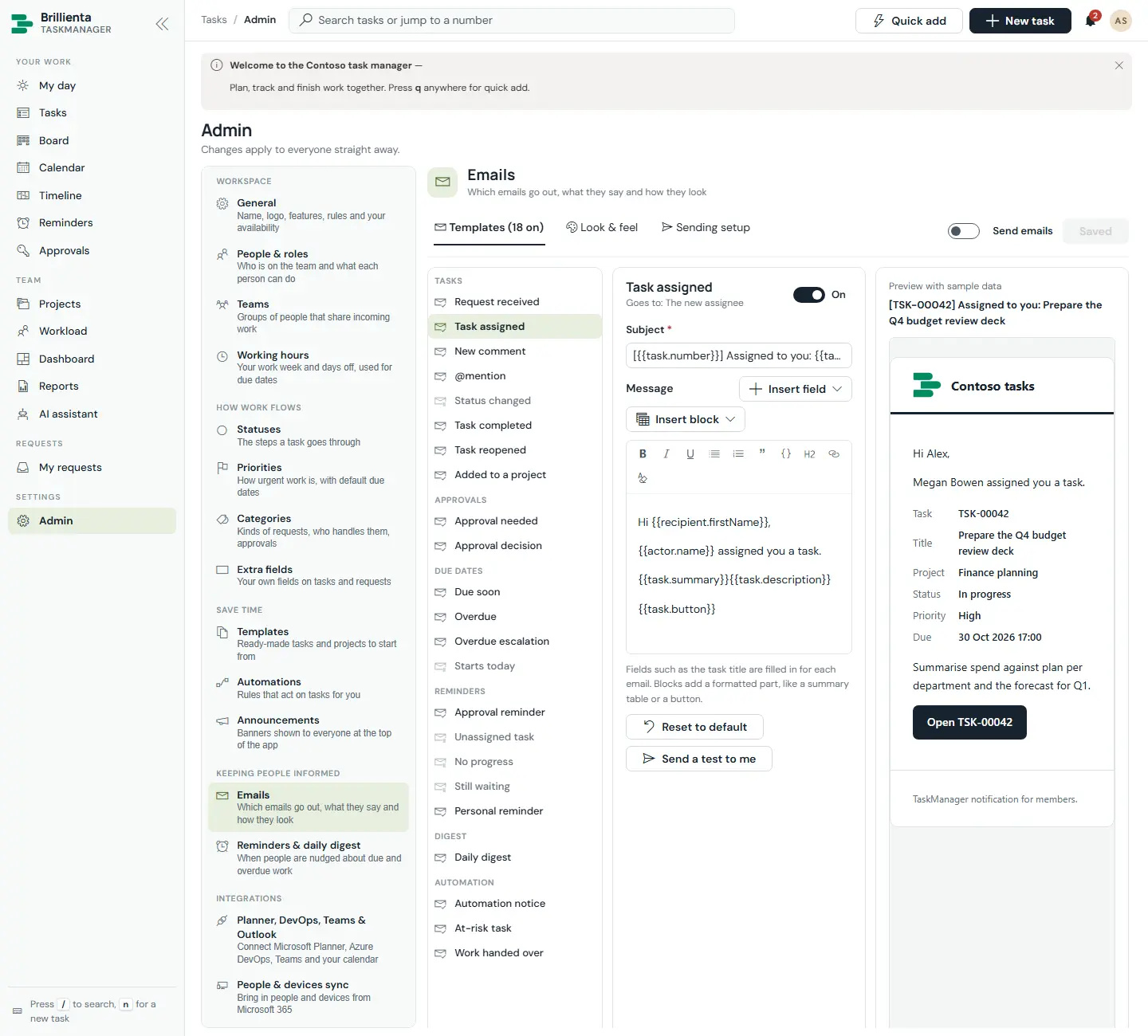
Email settings: template list across tasks, approvals, due dates, reminders, digest and automation events; the Task assigned template with recipient, subject, message, field and block inserters, reset, test send and a sample-data preview.
Emails. Every event's wording, look and sender in one place — preview before trusting it.
Reminders and digest settings: per-rule timing and escalation switches for due-soon, overdue, starts-today, approval, unassigned, no-progress and still-waiting, plus daily digest and sending setup.
Reminders & digest. When each nudge goes out, how often it repeats, when it escalates — and the morning digest.
Integrations page: Planner, Azure DevOps, Teams and Outlook connections each with setup steps and a Check that it works button.
Integrations. Each connection is verified in place with the user's own permissions.
This article is about Brillienta TaskManager.See the productView plansBook a demo
Still need help?Our team answers product questions by email, and we can walk you through it on a call.
Open in the full guideContact support