
brillientaKnowledge base

Knowledge base / TaskManager / Using the app

Requests (guests)

  • Guests
  • Pro and Enterprise
1 min read · TaskManager 1.0.0

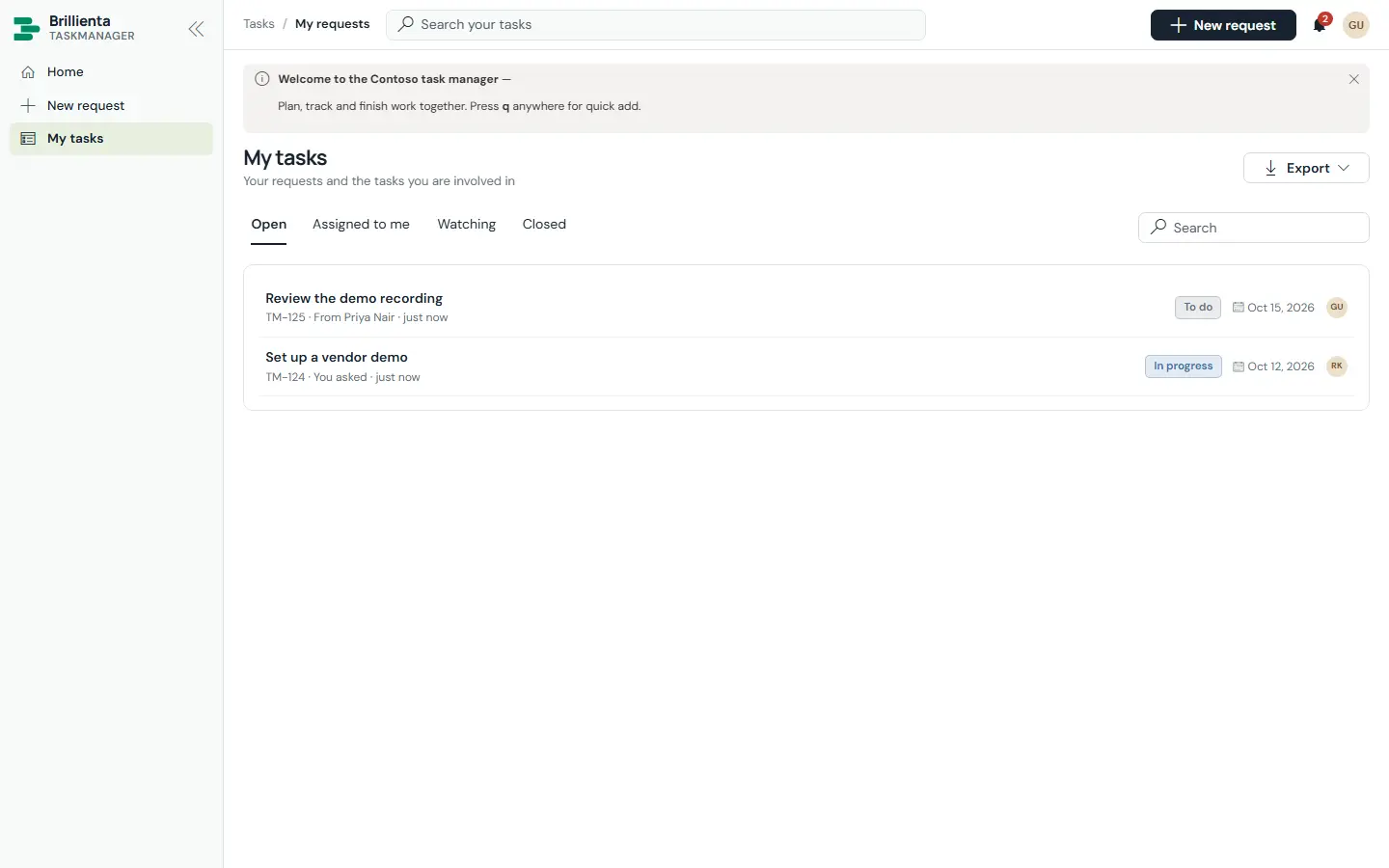
People who are not members get a home page with request tiles per category, a request form (category, details, needed-by date, custom fields, attachments), My tasks (requested, assigned, watching, closed) and approvals waiting for them. Guests follow progress and comment on their own requests, and can open tasks assigned to them or they watch.
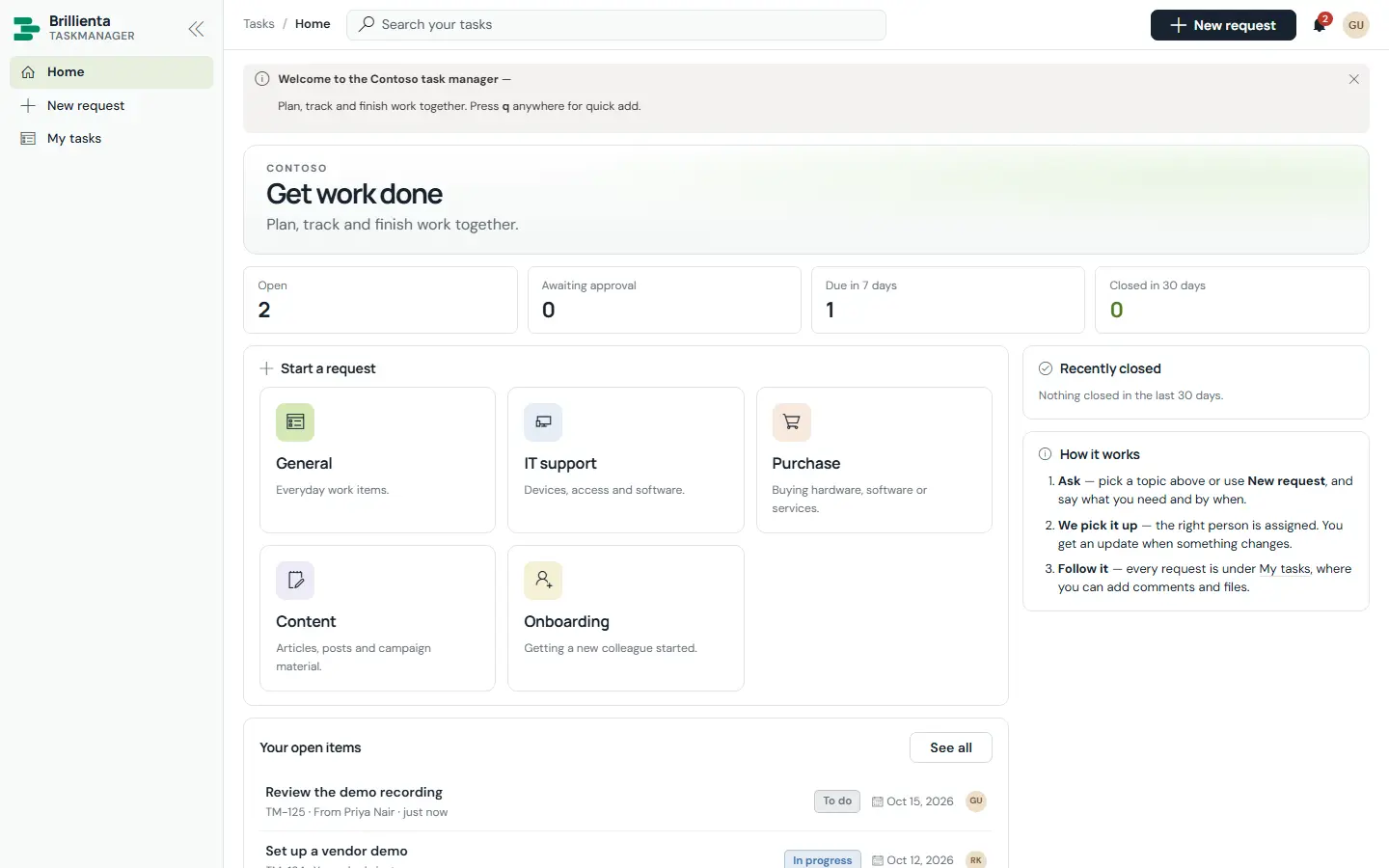
Guest home: welcome banner, KPI tiles, start-a-request tiles per category, open items, recently closed work and how-it-works steps.
Guest home. Tiles route each need to the right category and team; the steps explain what happens next.
Guest My tasks with Open, Assigned to me, Watching and Closed tabs showing a vendor-demo request in progress and a review task assigned to the guest.
My tasks. Requested, assigned, watched and closed in one place, with search and export.
This article is about Brillienta TaskManager.See the productView plansBook a demo
Still need help?Our team answers product questions by email, and we can walk you through it on a call.
Open in the full guideContact support