brillientaKnowledge base

Knowledge base / TaskManager / Using the app

Projects

  • Members (edit: managers)
  • All plans
1 min read · TaskManager 1.0.0

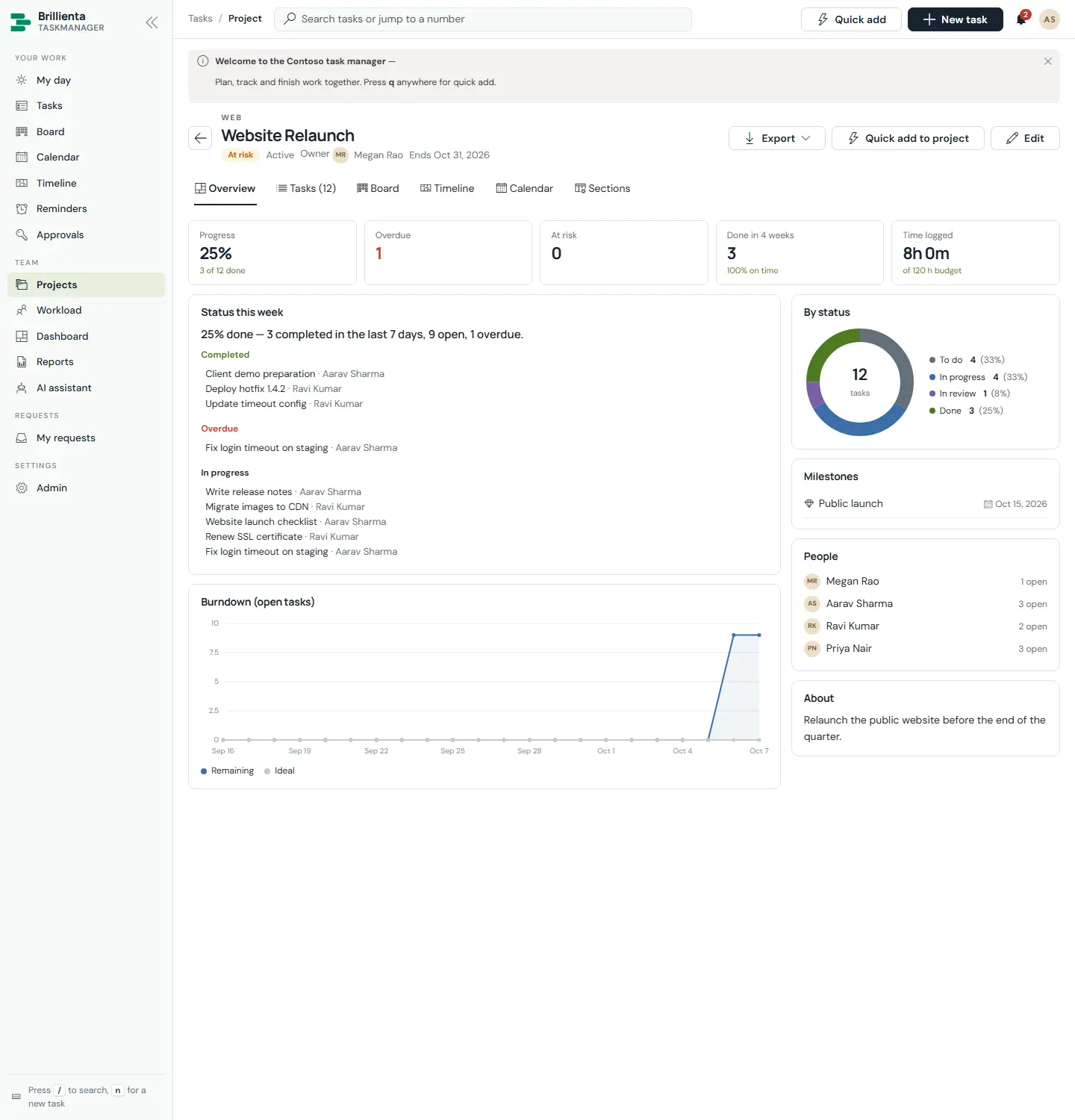
Cards with health (On track / At risk / Off track), progress, overdue and at-risk counts, owners and end dates — here Website Relaunch is At risk, Q4 Finance Close Off track, Mobile App v2 On track. Each project page has Overview (KPIs, status this week, burndown, by-status chart, milestones, time against budget), Tasks grouped by section, Board, Timeline, Calendar, a sections editor and connections. Managers create projects empty or from project templates (sections, scheduled tasks with dependencies and milestones), and can draft the weekly report with Write a status update with AI.
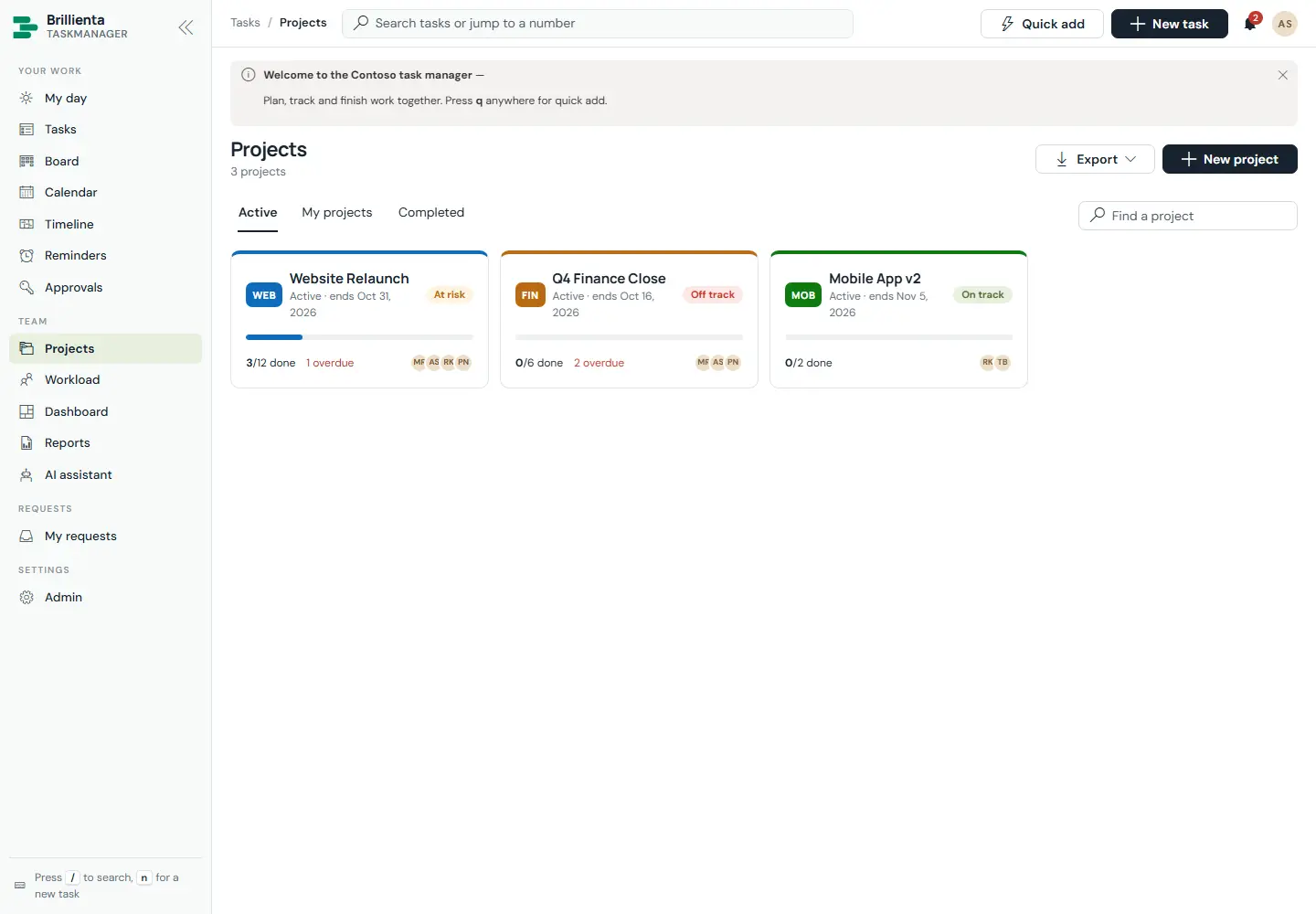
Projects list with three cards showing health badges, progress, done and overdue counts, owners, member avatars and end dates, plus Active / My projects / Completed tabs.
Projects. Health, progress and attention counts at a glance; tabs split active, yours and completed work.
Website Relaunch project page: header with health, owner and end date; tabs for Overview, Tasks, Board, Timeline, Calendar and Sections; KPI tiles, status-this-week, burndown chart, by-status donut, milestones, people and time against budget.
Project overview. KPIs, burndown, milestones and time-vs-budget; the Tasks tab groups work by section with per-section add.
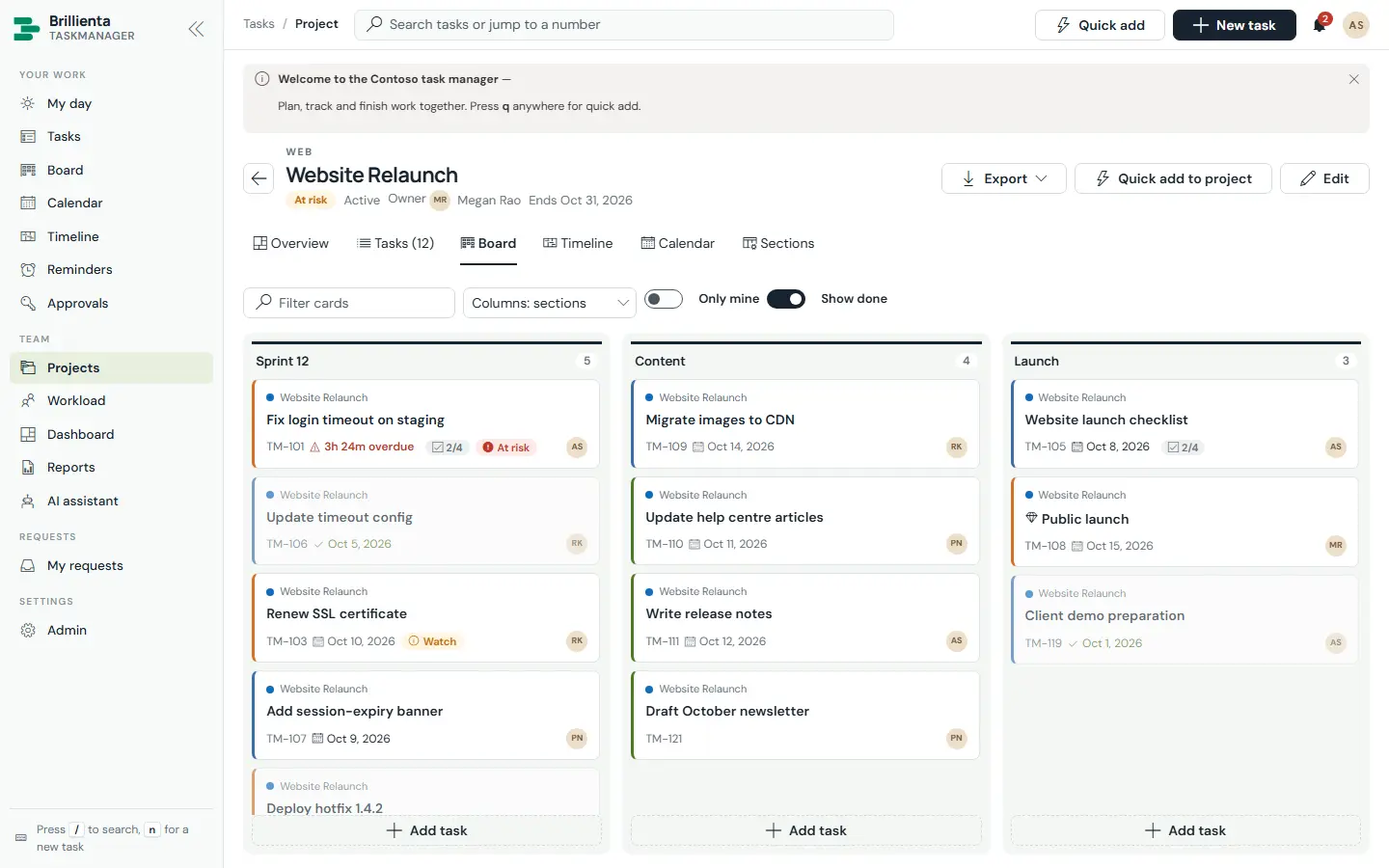
Website Relaunch board grouped by project sections Sprint 12, Content and Launch with task cards and per-section quick add.
Project board. The same tasks arranged by the project's own sections instead of statuses.
This article is about Brillienta TaskManager.See the productView plansBook a demo
Still need help?Our team answers product questions by email, and we can walk you through it on a call.
Open in the full guideContact support