
Knowledge base / TaskManager / Using the app
Devices & directory (Graph sync)
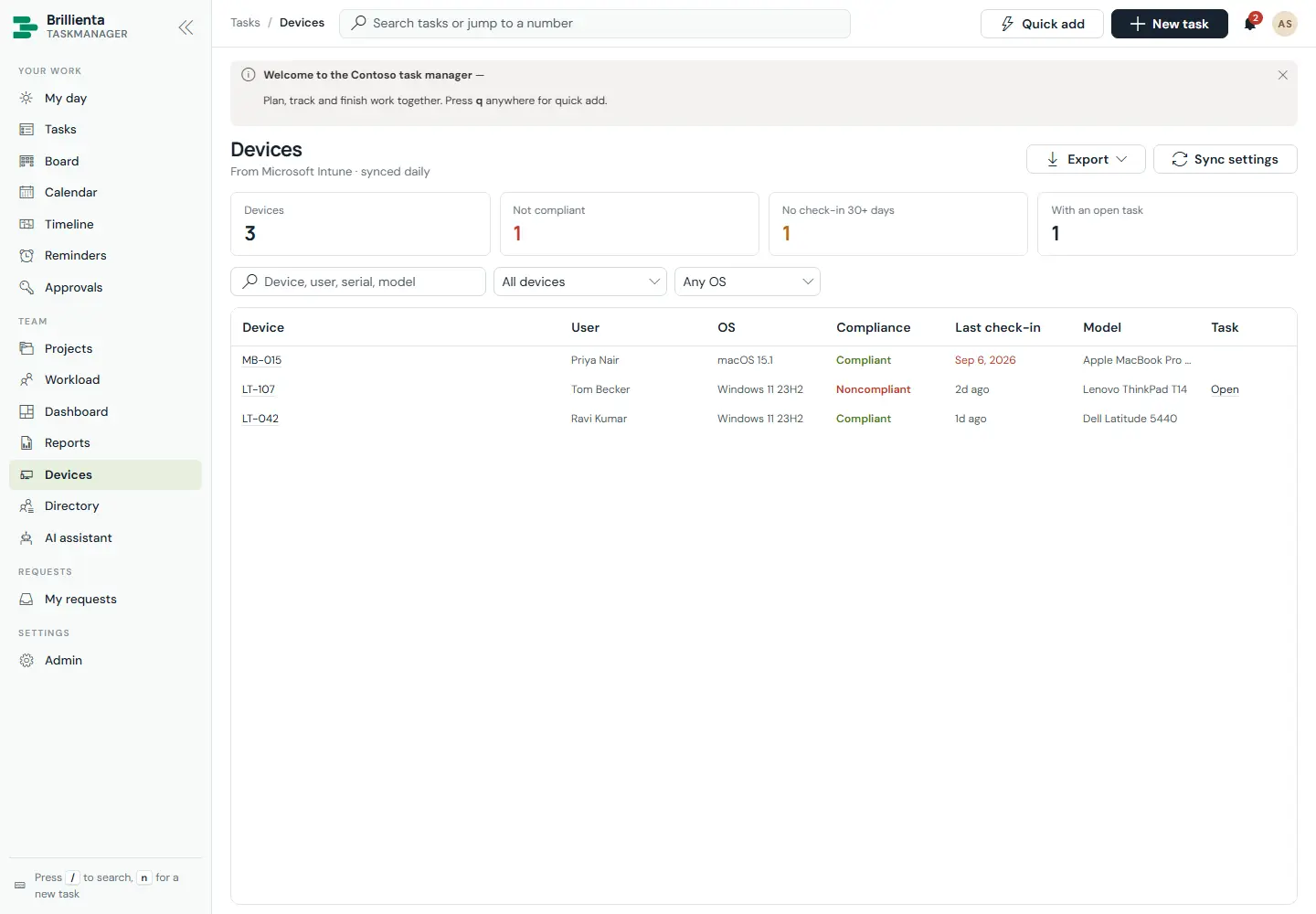
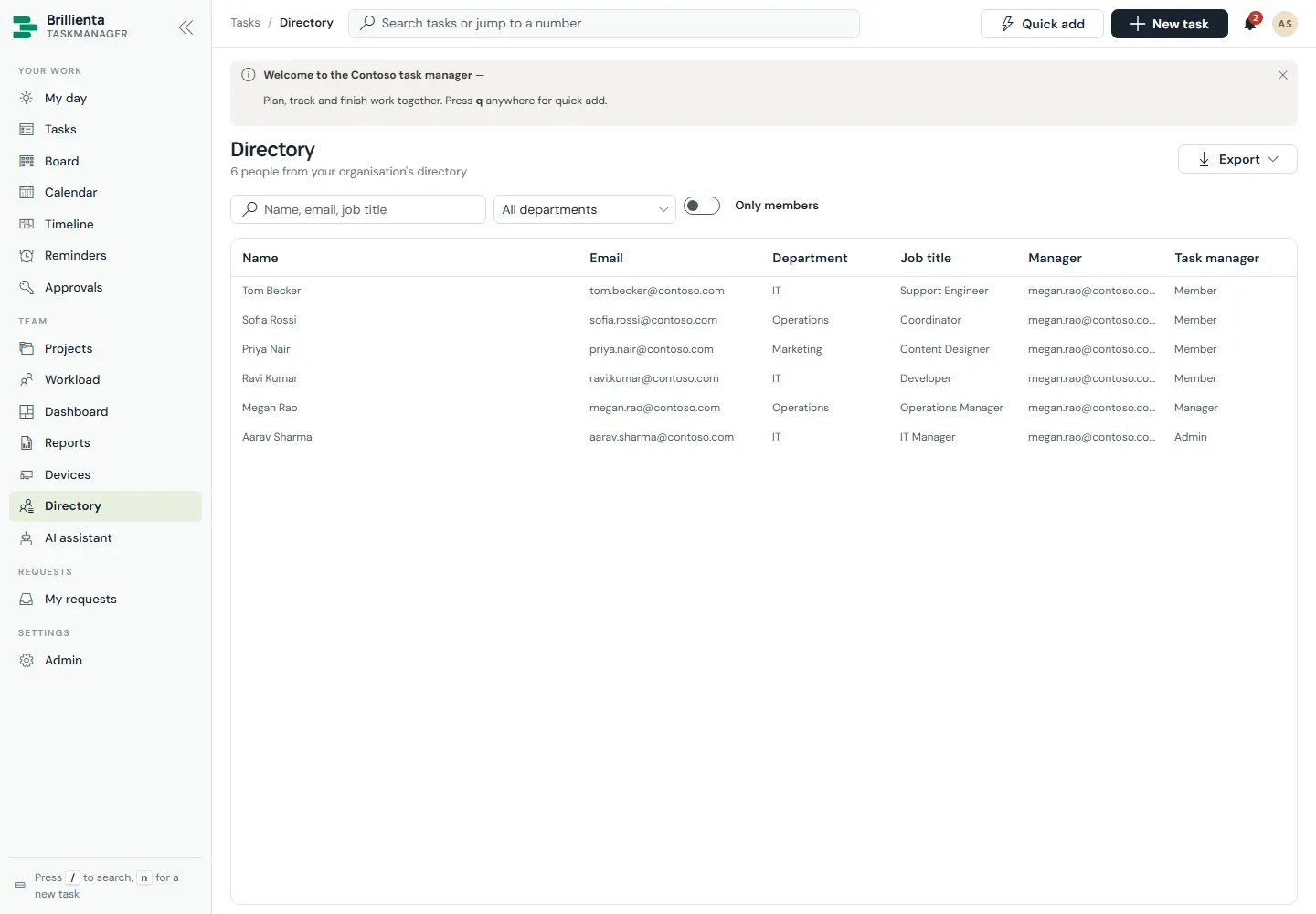
People from Microsoft Entra ID and devices from Intune (or Entra ID) sync into SharePoint: Sync now in the browser plus a generated daily flow using your app registration. The Devices page shows compliance, last check-in, OS, model, user and export; the directory mirrors department, title and manager. One task per non-compliant or stale device is raised automatically (here TM-123 for LT-107), members' details follow the directory, and offboarding hands a leaver's open tasks to their manager or team lead.
Still need help?Our team answers product questions by email, and we can walk you through it on a call.
Open in the full guideContact support