
Knowledge base / Employee Directory / Using the app
Change requests
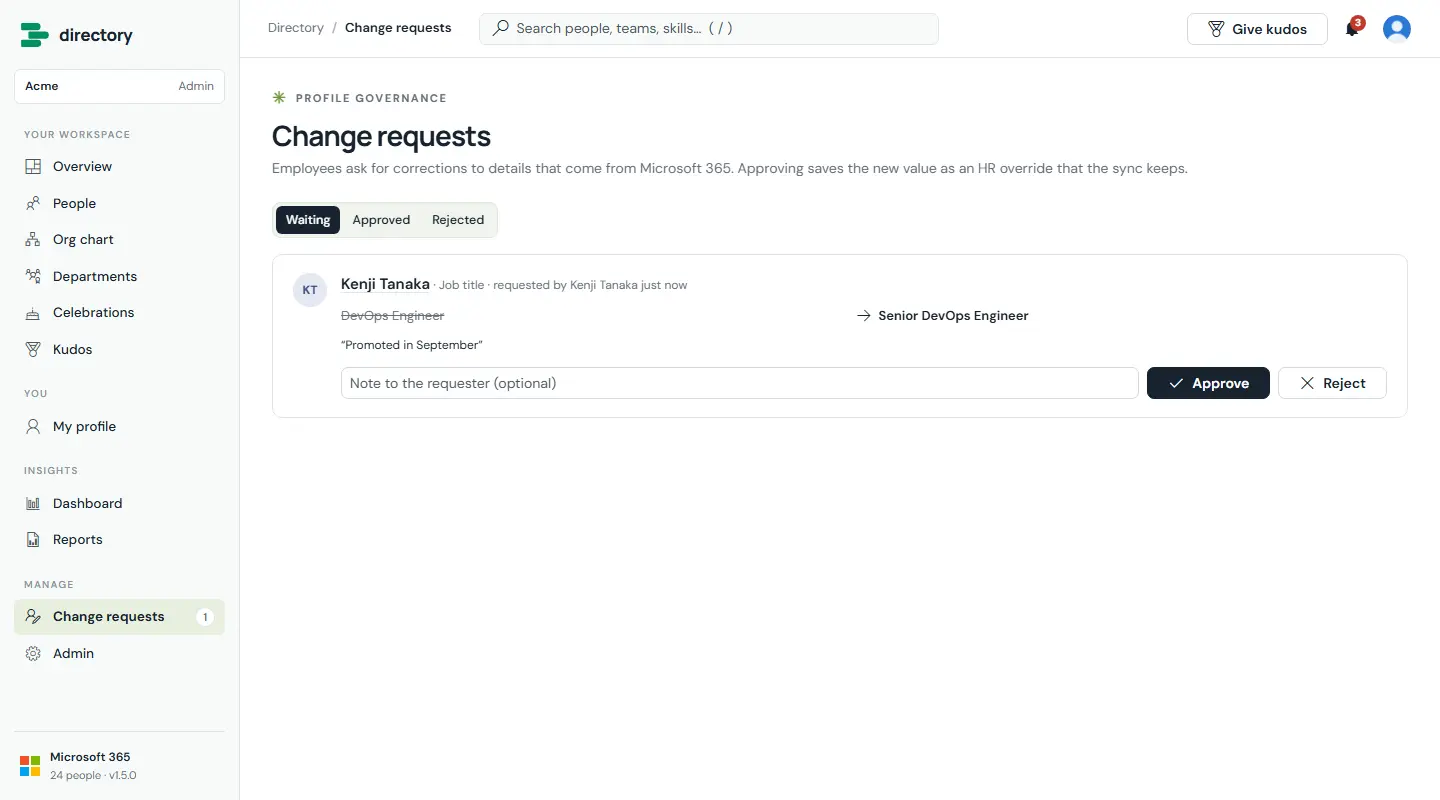
A controlled way to correct data that comes from Microsoft 365. An employee proposes a new value and a reason. HR sees the request with the old and new values side by side, then approves or declines it with an optional note.
How it works
- Approving saves the new value as an HR override. The Microsoft Graph sync keeps it, and HR can reset it to the Microsoft 365 value at any time.
- Separation of duties: nobody can review a request they filed themselves.
- A decision counts only when it was made by someone other than the requester, so editing your own request cannot approve it.
- Notifications: HR and admins are told about new requests, the requester gets a confirmation, and the requester (and the employee, if HR filed it for them) hear the outcome.
- Employees see only their own requests. SharePoint enforces this.
- A daily HR digest can list requests that have waited too long.
Still need help?Our team answers product questions by email, and we can walk you through it on a call.
Open in the full guideContact support