
Knowledge base / Employee Directory / Using the app
Workforce dashboard
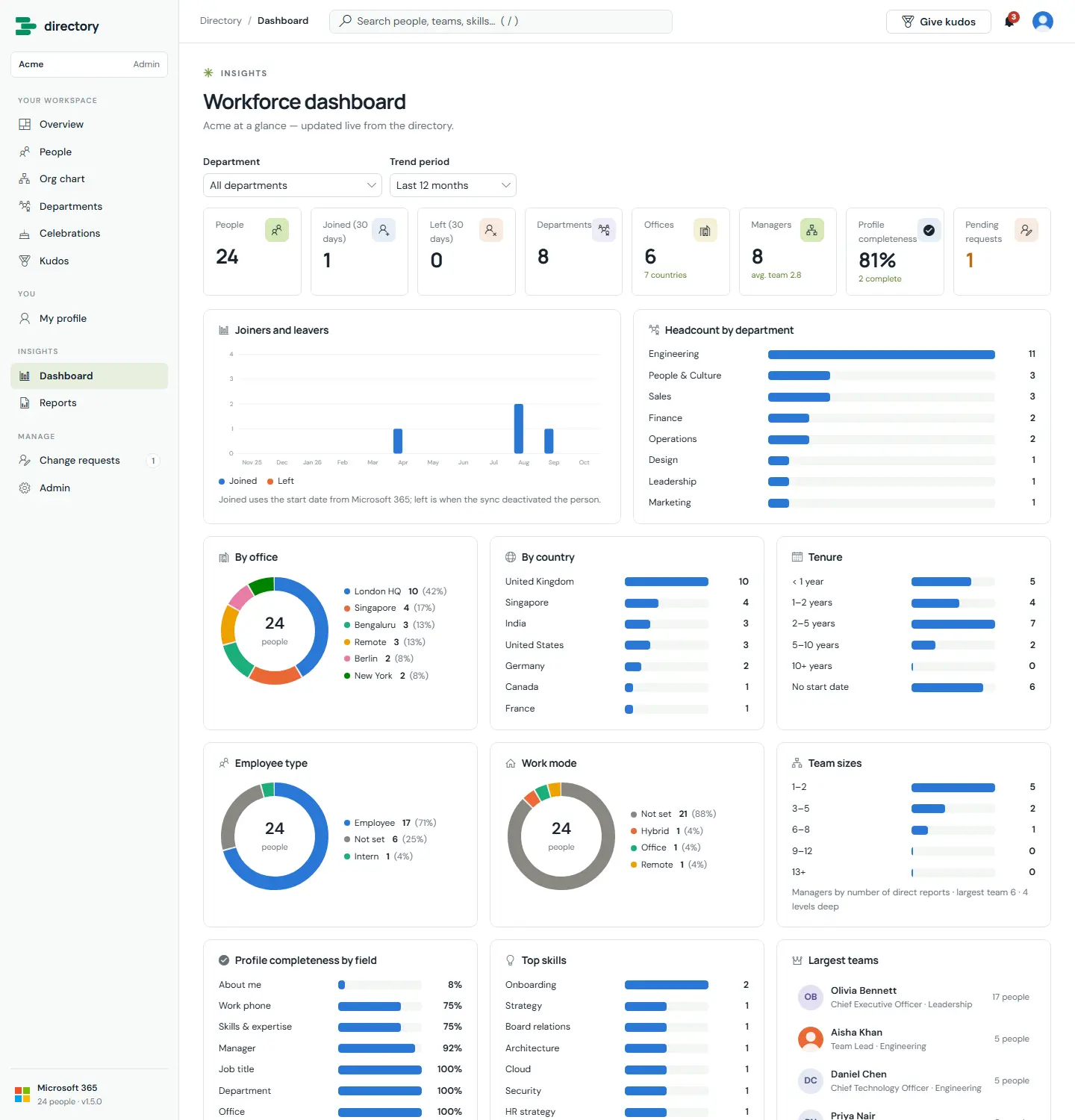
The organisation at a glance, updated live from the directory: headcount, joiners and leavers, departments, offices, countries, tenure, employee types, work modes, team sizes, profile completeness, top skills and the largest teams.
How it works
- Most number tiles open the matching people list or report.
- Joiners use the start date from Microsoft 365. Leavers are people the sync has deactivated.
- Chart colours come from a palette checked for colour-vision deficiency, and every series is named in a legend or label, never by colour alone.
- Admins can open the dashboard to everyone with one switch.
Still need help?Our team answers product questions by email, and we can walk you through it on a call.
Open in the full guideContact support