
Knowledge base / Employee Directory / Using the app
My profile
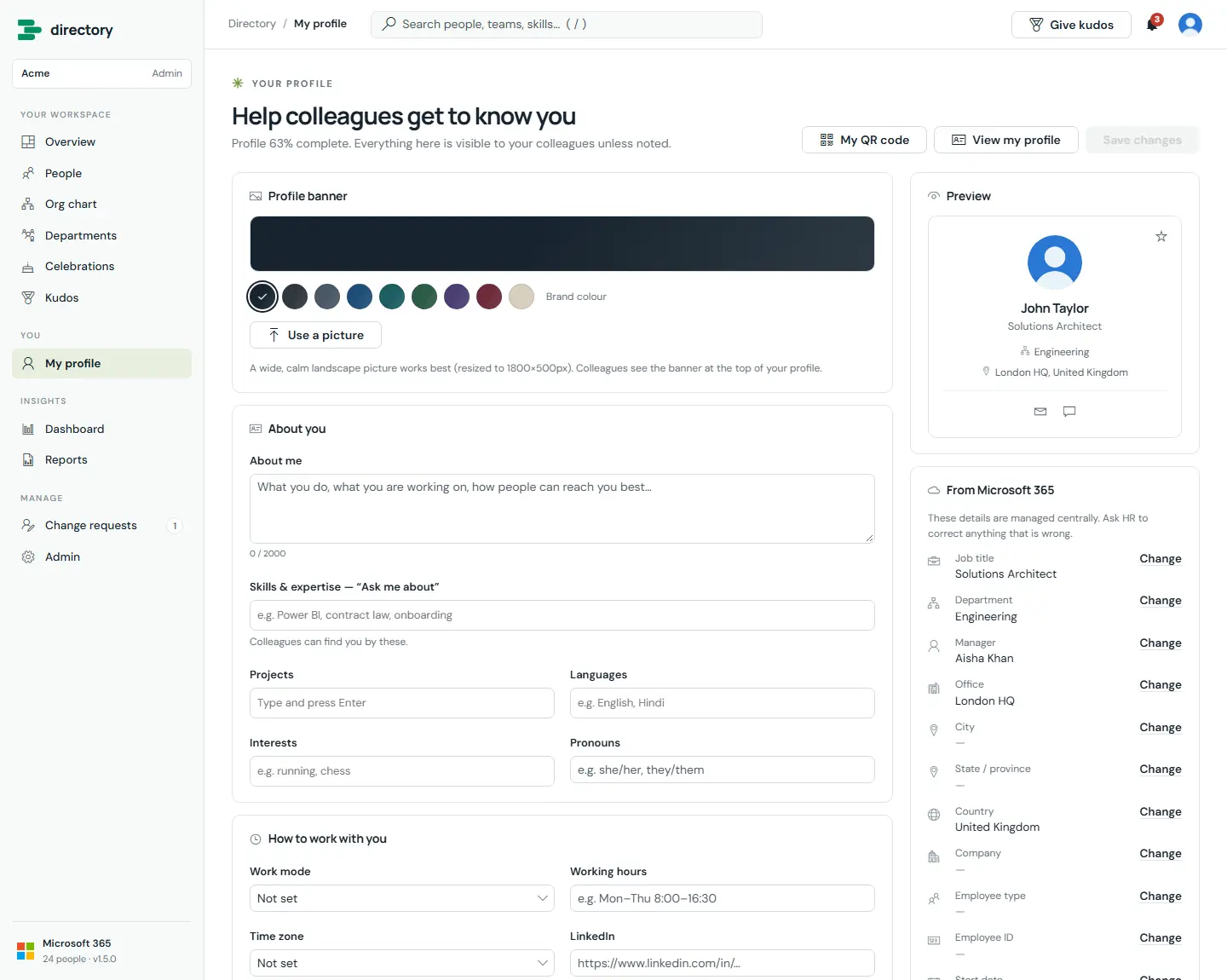
Each person keeps their own profile up to date: about me, skills ("ask me about"), projects, languages, interests, pronouns, work mode, working hours, time zone, LinkedIn and, if they wish, their birthday. They also choose their profile banner.
How it works
- Nothing is saved until the person selects Save changes.
- Banner: seven styles (Aurora, Ocean, Sunset, Forest, Violet, Sand, Graphite) or a picture, resized to 1800 × 500 px.
- The skills field suggests skills already used in the directory, which keeps spelling consistent.
- Details that come from Microsoft 365 (job title, department, manager, office and so on) cannot be edited here. "Change" sends a change request to HR.
- Birthday is day and month only, with an explicit switch to show it.
- My QR code opens the person's own QR code (contact card or profile link) for download as PNG or SVG.
- SharePoint lets each person edit only their own profile entry.
Still need help?Our team answers product questions by email, and we can walk you through it on a call.
Open in the full guideContact support