
Knowledge base / Employee Directory / Administration
Microsoft Graph sync
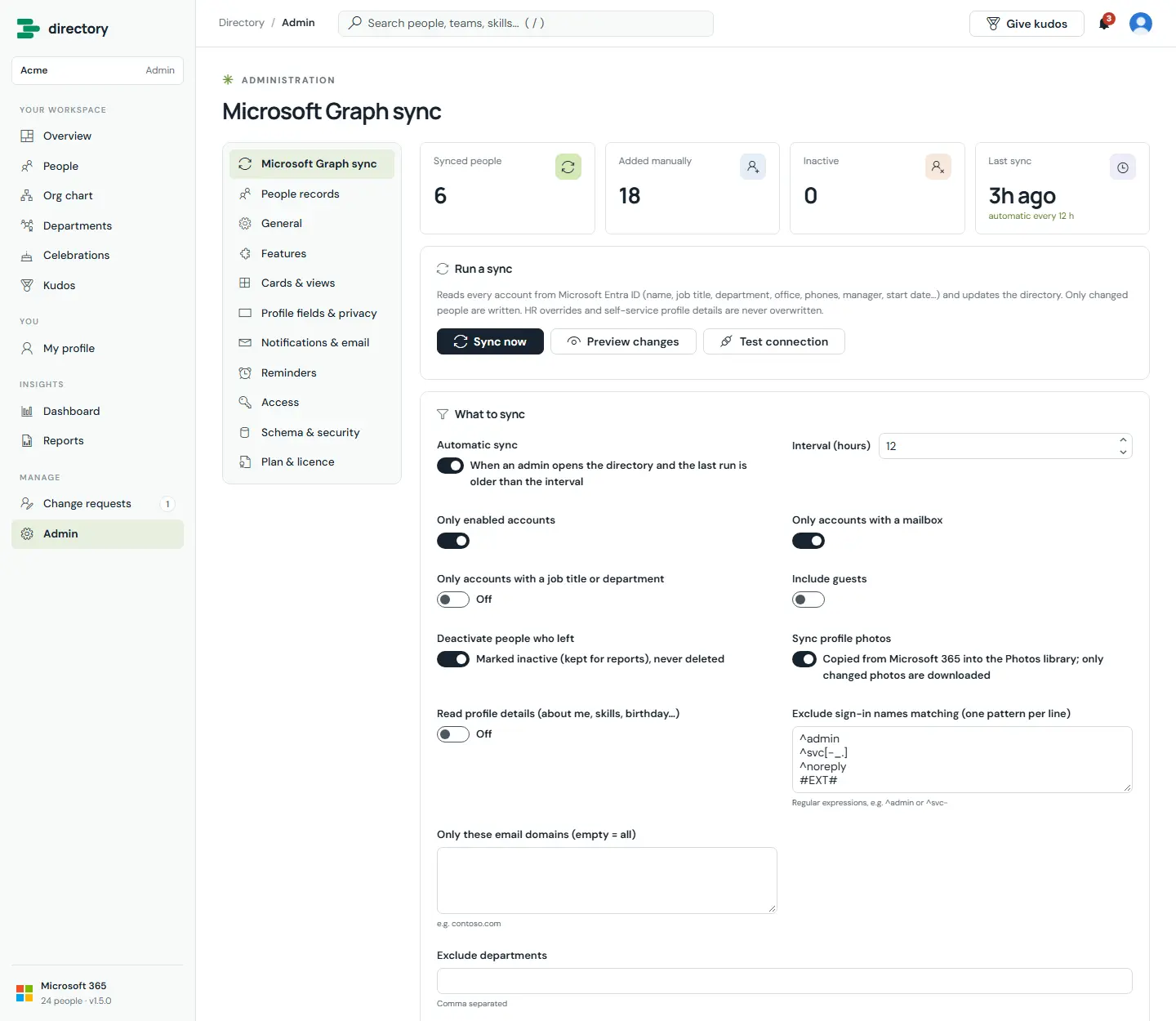
The sync reads every account from Microsoft Entra ID and updates the directory: names, job titles, departments, offices, phones, managers, start dates and photos. Filters decide who appears.
How it works
- Automatic sync runs when an admin opens the directory and the last run is older than the interval (12 hours by default). A lock stops two admins syncing at once.
- Only changes are written. Each person's values are compared with the last sync, so unchanged people are left alone.
- Leavers are deactivated, never deleted, so they still count in reports.
- Safeguard: if a run would deactivate more than 30 % of synced people (and more than 10), it holds back until an admin confirms. This protects against a mistaken filter.
- Filters: only enabled accounts, only accounts with a mailbox, only accounts with a job title or department, include guests, exclude sign-in names by pattern (service accounts, for example), limit to email domains, and exclude departments.
- Photos are copied into the site's photo library. Only changed photos are downloaded, up to 400 per run.
- HR overrides and employees' own profile details are never overwritten.
- With Enterprise, the sync can also read about me, skills and birthdays from Microsoft 365.
Still need help?Our team answers product questions by email, and we can walk you through it on a call.
Open in the full guideContact support