
Knowledge base / Employee Directory / Using the app
Org chart
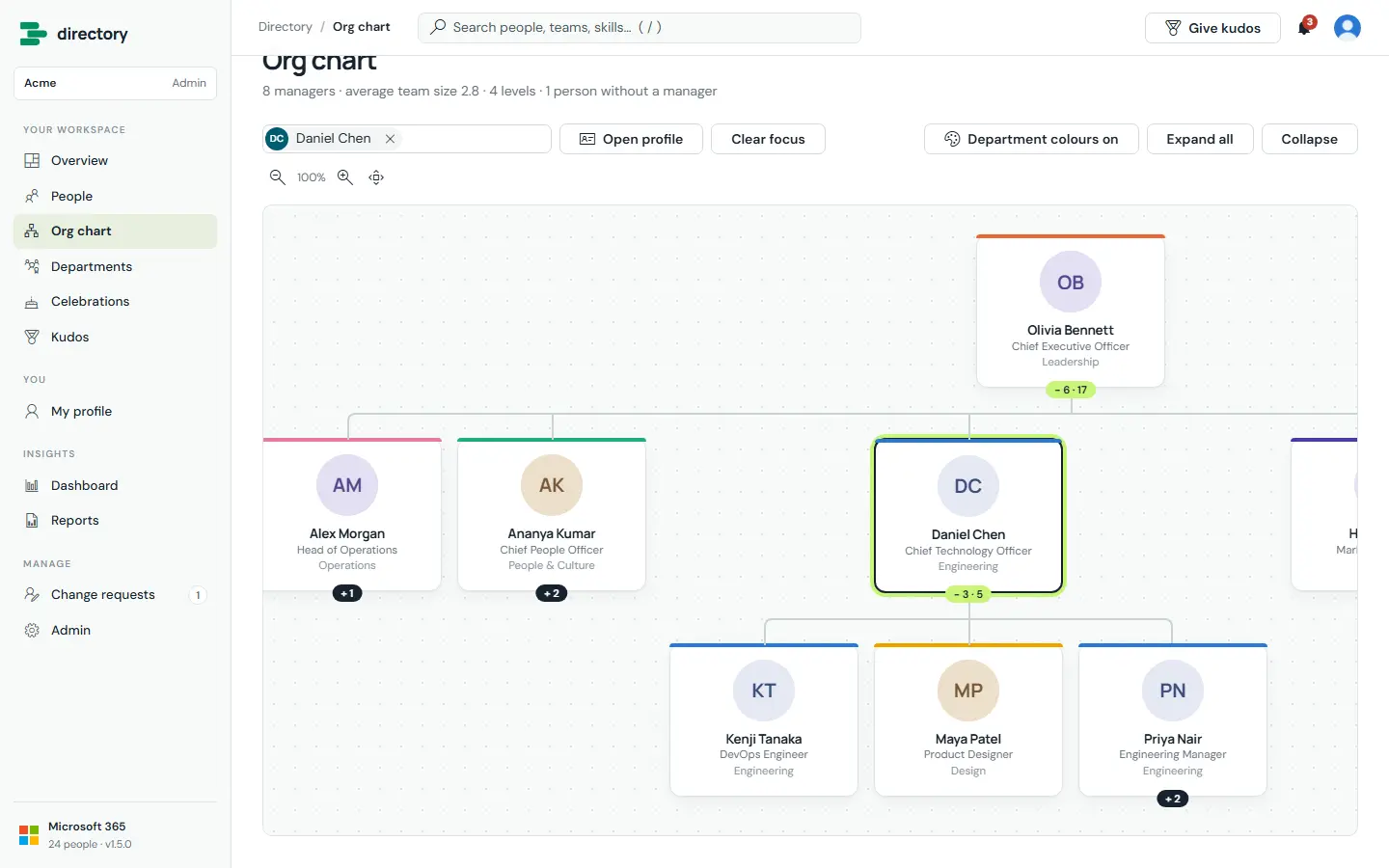
An interactive chart of the reporting structure, built from the managers recorded in Microsoft Entra ID. Search for anyone to open their whole reporting line.
How it works
- Expand and collapse any branch. Badges show the number of direct reports and the total below.
- Zoom with the buttons or Ctrl + mouse wheel, and drag to pan.
- Department colours can be switched on or off.
- Admins design the cards under Admin › Cards & views: photo on top or beside the name, compact / standard / large, round / rounded / no photo, Teams status, up to three lines under the name, department or brand accent on the top or left edge, team badge, and how many levels open at the start.
- Reporting loops in the source data are detected and handled, so everyone stays reachable.
Still need help?Our team answers product questions by email, and we can walk you through it on a call.
Open in the full guideContact support