
Knowledge base / Asset Management / Using the app
Reminders & digest
Loan due-back and overdue, receipt confirmations, pending approvals, unfulfilled requests, contract renewals and personal Remind me items — all planned at the organisation's send hour, with weekends moved to Monday and deadline notices to the Friday before. A weekday daily digest summarises the next 7 days for the asset team. Due items are sent by an asset manager's open page, or by the Reminder flow when nobody is online; each item is re-checked against the live record before sending, so stale reminders never go out.
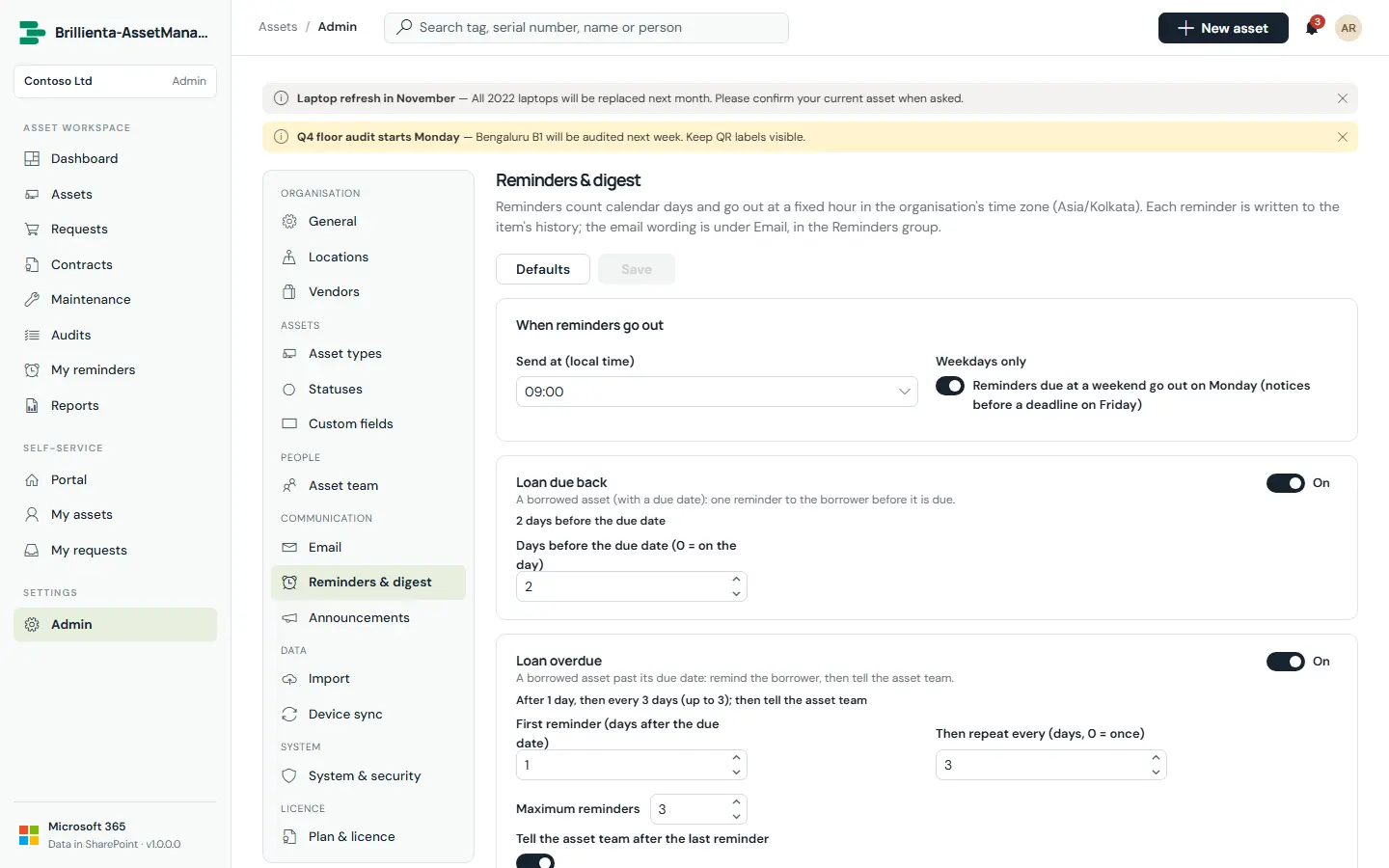
Default timings
- Loan due back: 2 days before · Loan overdue: 1 day after, every 3 days ×3, then the team.
- Receipt: 2 days after, every 3 days ×3, then the team · Approval: 1 day, every 2 days ×3, then admins.
- Fulfilment nudge: 3 days after ready, every 3 days ×3 · Contract renewal: 60, 30 and 7 days before the end.
- Daily digest: every weekday at the send hour.
Still need help?Our team answers product questions by email, and we can walk you through it on a call.
Open in the full guideContact support