
Knowledge base / Asset Management / Using the app
Receipt confirmation
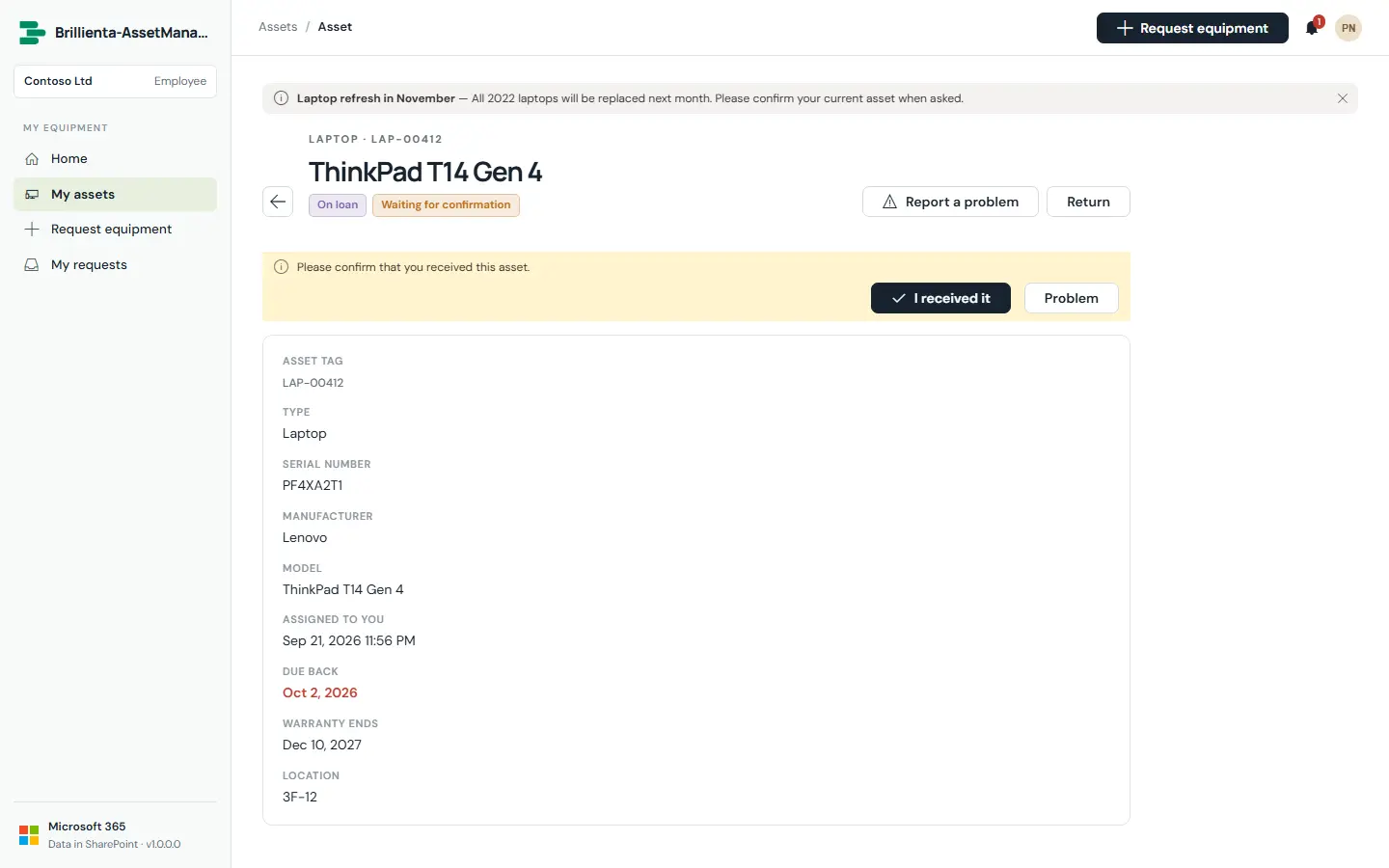
When a type (or the person checking out) requires it, the assignee must confirm they received the asset — I received it, or Problem with a description. Confirmations appear on the portal home, My assets and the asset page; disputes alert the asset team immediately, and reminders chase unconfirmed receipts until they are answered.
How it works
- Employees write into
AM_Acknowledgements, never into the register; an asset manager's page records each answer after verifying SharePoint's Created By is the current assignee. - Reminders: 2 days after assignment, every 3 days up to 3 times, then the team.
Still need help?Our team answers product questions by email, and we can walk you through it on a call.
Open in the full guideContact support