
Knowledge base / Brillienta HRMS / Using the app
Overview home
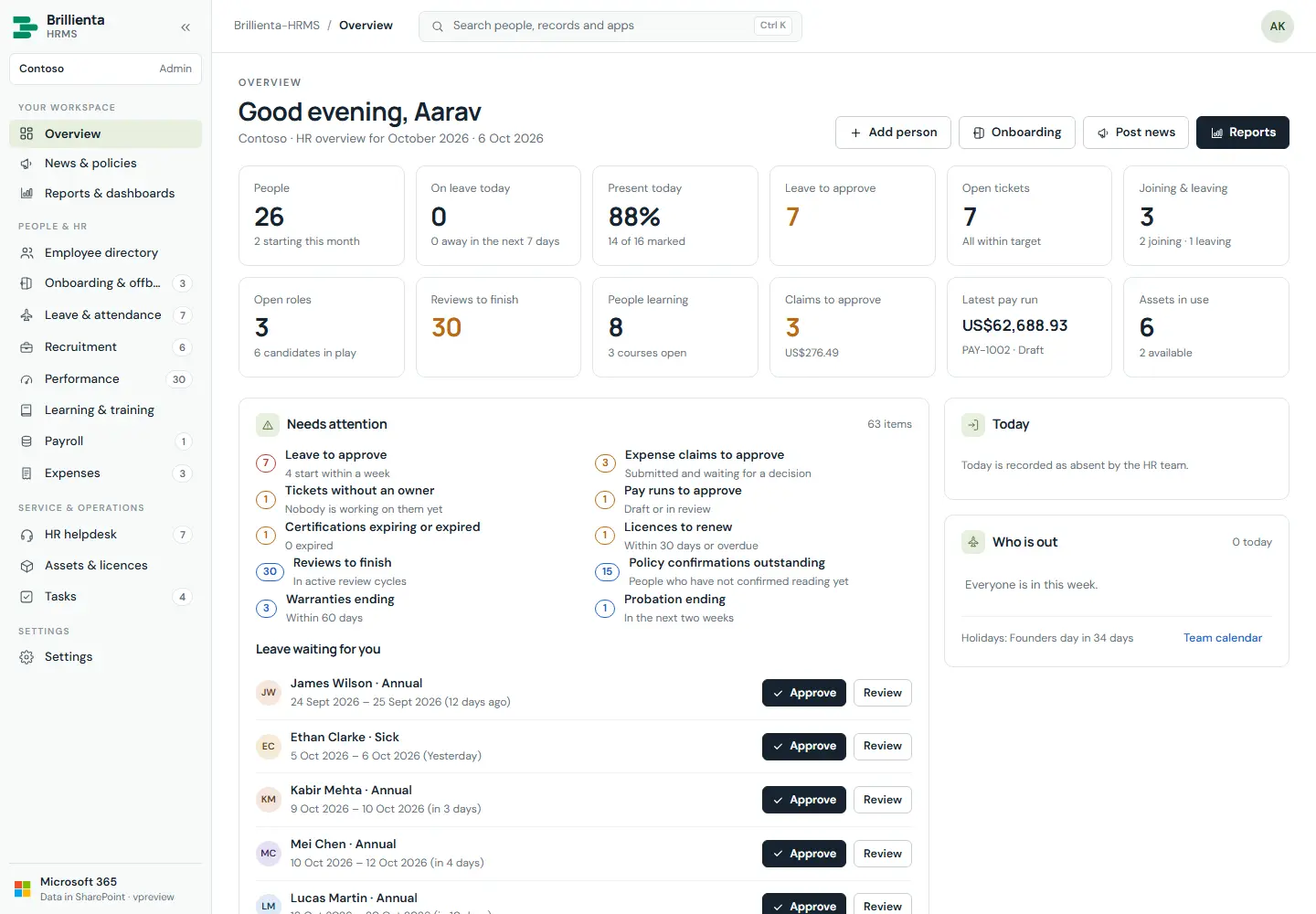
HR, administrators, asset managers and auditors get twelve headline tiles, an action centre of everything waiting — with leave approvals inline — plus clock in/out, who is out, celebrations, headcount trend, charts from every app, a per-department table, recent activity, news and the team checklist. Everyone else gets their own workspace: clock in/out, what is waiting for them, leave, tasks, goals, learning, requests, pay and claims, equipment, news and what is coming up.
How it works
- Action-centre items appear only for people who can act on them (leave/expense decisions, unowned or overdue tickets, late onboarding steps, reviews, pay runs, expiries, renewals, probation).
- Quick actions open the right new form (
#/leave/new,#/helpdesk/new); waiting items open the record itself.
- Sidebar badges are live open counts; a lock marks apps outside your plan.
- Command palette (
Ctrl/Cmd+K) jumps to people, records and apps from anywhere.
Still need help?Our team answers product questions by email, and we can walk you through it on a call.
Open in the full guideContact support