
Knowledge base / Brillienta HRMS / Using the app
Employee directory
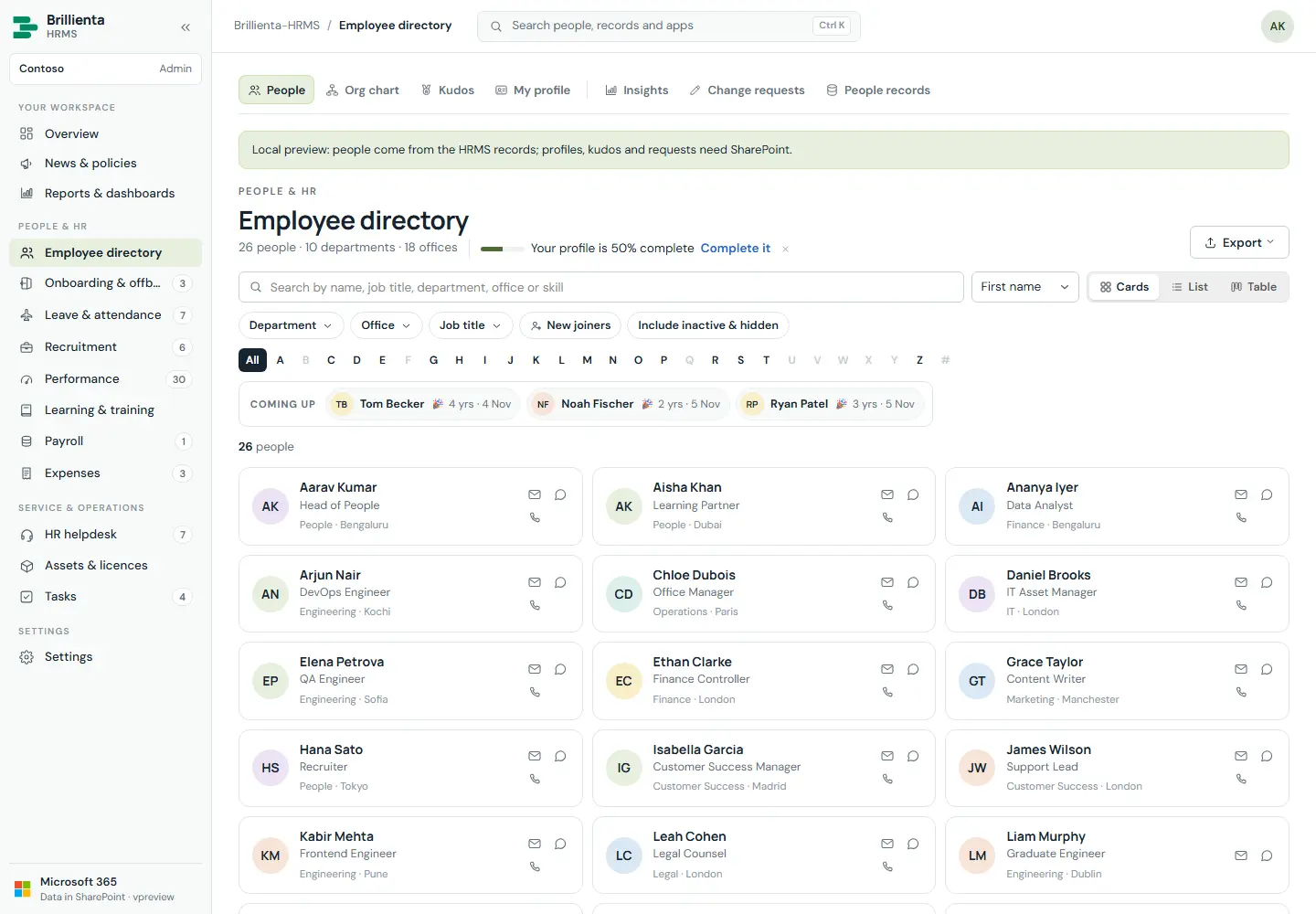
The Brillienta Employee Directory as a built-in module. People search with one search box, dropdown filters with counts, favourites, new joiners, A–Z and cards / list / table; rich profiles with photo, Teams presence, banner, skills, reporting line, kudos, vCard and QR code; self-service My profile (official-field edits become change requests to HR); interactive org chart; kudos wall; Insights workforce dashboard and HR reports; CSV import and Microsoft 365 sync with preview and safeguards.
How it works
- A synced or added person is everywhere at once — directory and all HR apps share one people list.
- Card, list, table and org-chart appearance is configured under Settings → Employee directory → Cards & views, with live previews.
- New people start with their full annual leave allowance; sync respects the plan's employee seats.
Still need help?Our team answers product questions by email, and we can walk you through it on a call.
Open in the full guideContact support