
Knowledge base / Intranet Builder / Using the app
News, events & campaigns
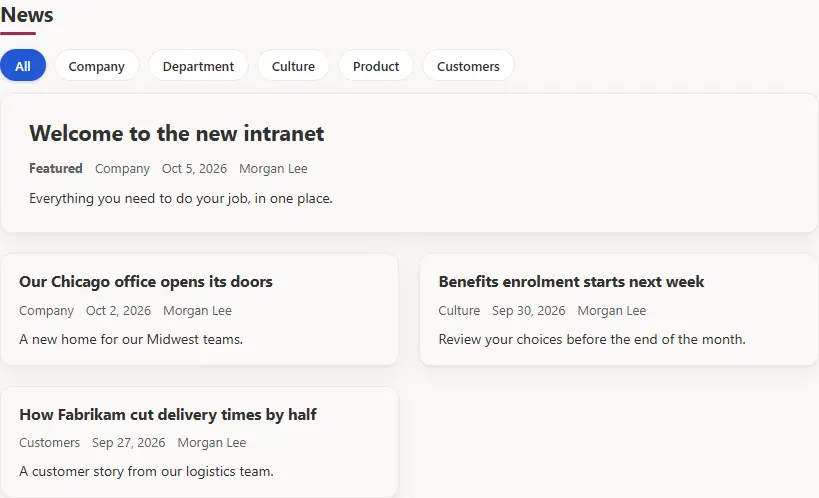
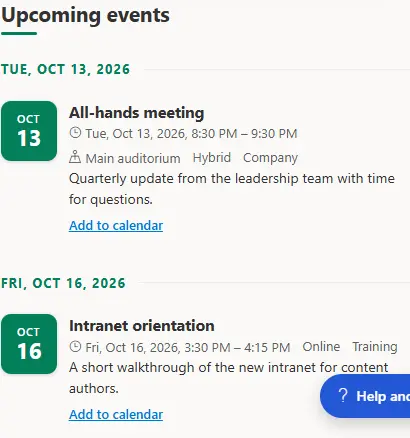
Featured and published news from Site Pages with categories and departments; scheduled announcements with priority and expiry; upcoming events as an agenda or a calendar with categories, locations and registration links; quick links and the application launcher for workplace tools.
How it works
- News comes from the Site Pages library; announcements from the Announcements list with start and end dates.
- Countdown counts days, hours and minutes to a launch or deadline, with a registration link and a message once the date has passed.
- Key figures show targets and trends; the image gallery shows the photo library as a grid or slideshow with albums and full-screen view.
- Authors publish through lists and pages; approvers moderate where the template requires it.
Still need help?Our team answers product questions by email, and we can walk you through it on a call.
Open in the full guideContact support